From cutting plans to a clearer picture of your material needs.
Plan cuts for profiles and sheets. Bring quantities together by job. Add unit prices, review estimated costs and export the documents your next step needs.
Recorded in Kalepis on a sample project: a 30 × 60 m warehouse. The screens are the app's own.
Cutting plans, BOQ and material cost in one project.
The film above was recorded in the application on a sample warehouse. Its seven chapters follow these five steps: pick one to watch it again.
- 1
Bring your lists and drawings
Excel or CSV part lists, rows pasted from a spreadsheet, DXF files whose name gives the mark and quantity; then the bar lengths and sheet sizes you have in stock.
Watch: chapters 1 and 2 - 2
Check the cutting plans
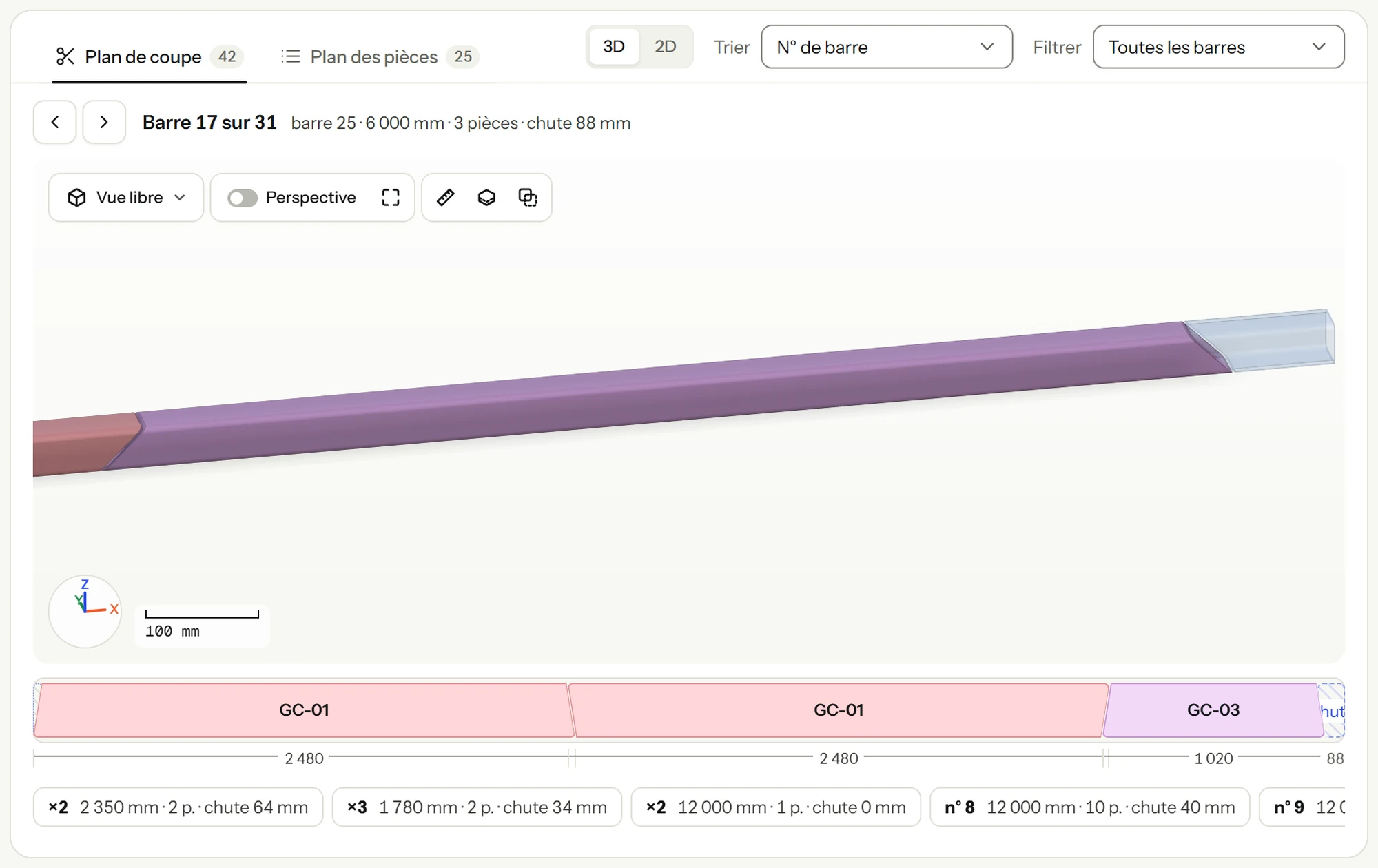
One plan per section, one nesting per thickness. Check the yield and the offcuts, and touch up a sheet by hand.
Watch: chapters 3 to 5 - 3
Bring the quantities together
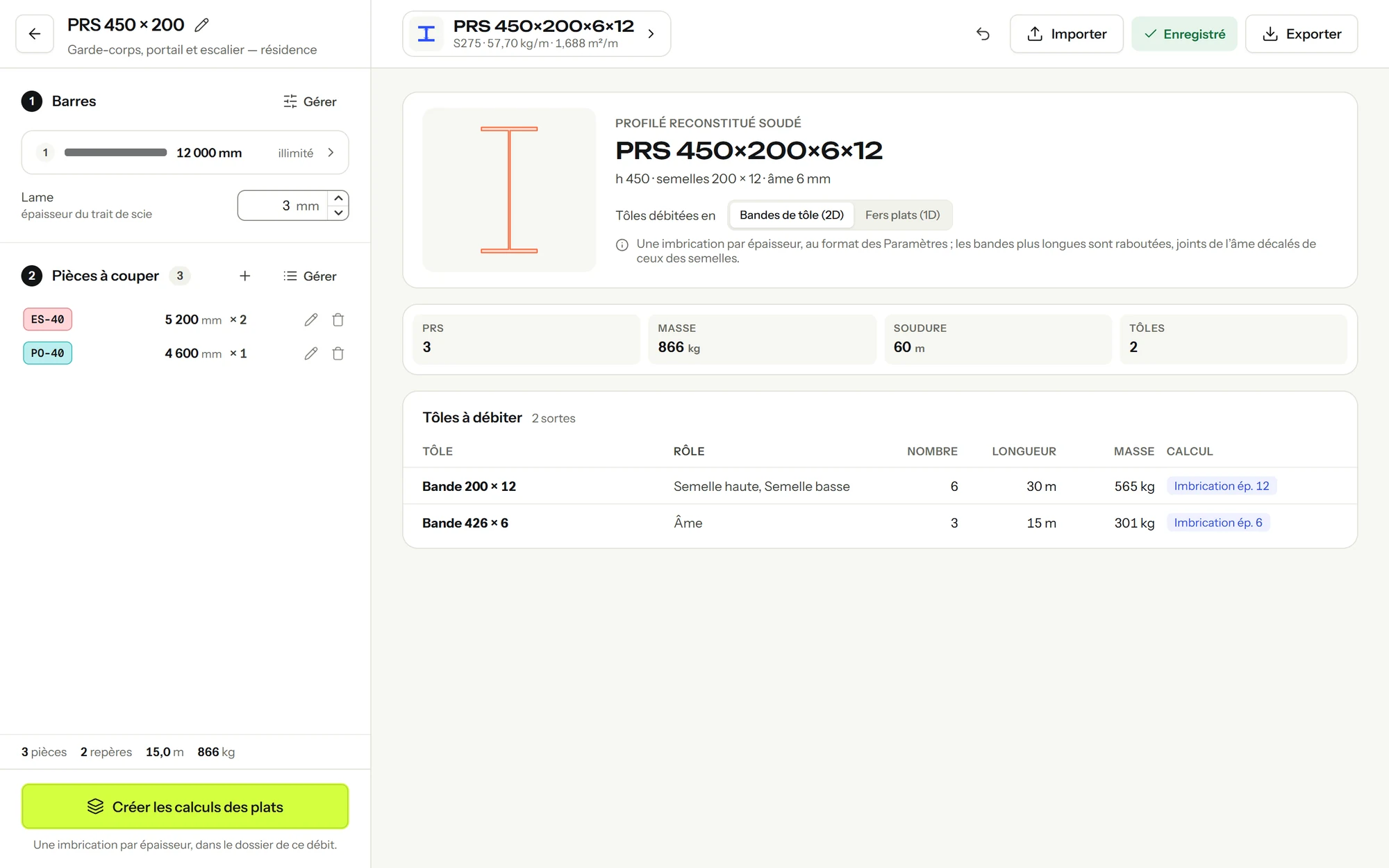
Every calculation of the project lands in one BOQ: sections, sheets, gross and net weights, paint areas.
Watch: chapter 6 - 4
Read the material cost
Enter your unit prices, per bar, per sheet or per kilo, if you want them. The material cost of the job follows.
Watch: chapter 7 - 5
Hand the documents to the workshop
PDF cutting plans and part lists, barcode labels, a DXF file per sheet, and the estimate in Excel.
Watch: chapter 7
Profiles and bars
1D nesting for lengths that matter.
Whether you're preparing bars or profiles, the question is the same: how do you arrange the required lengths across available stock? Kalepis gives your team a place to work through that decision.
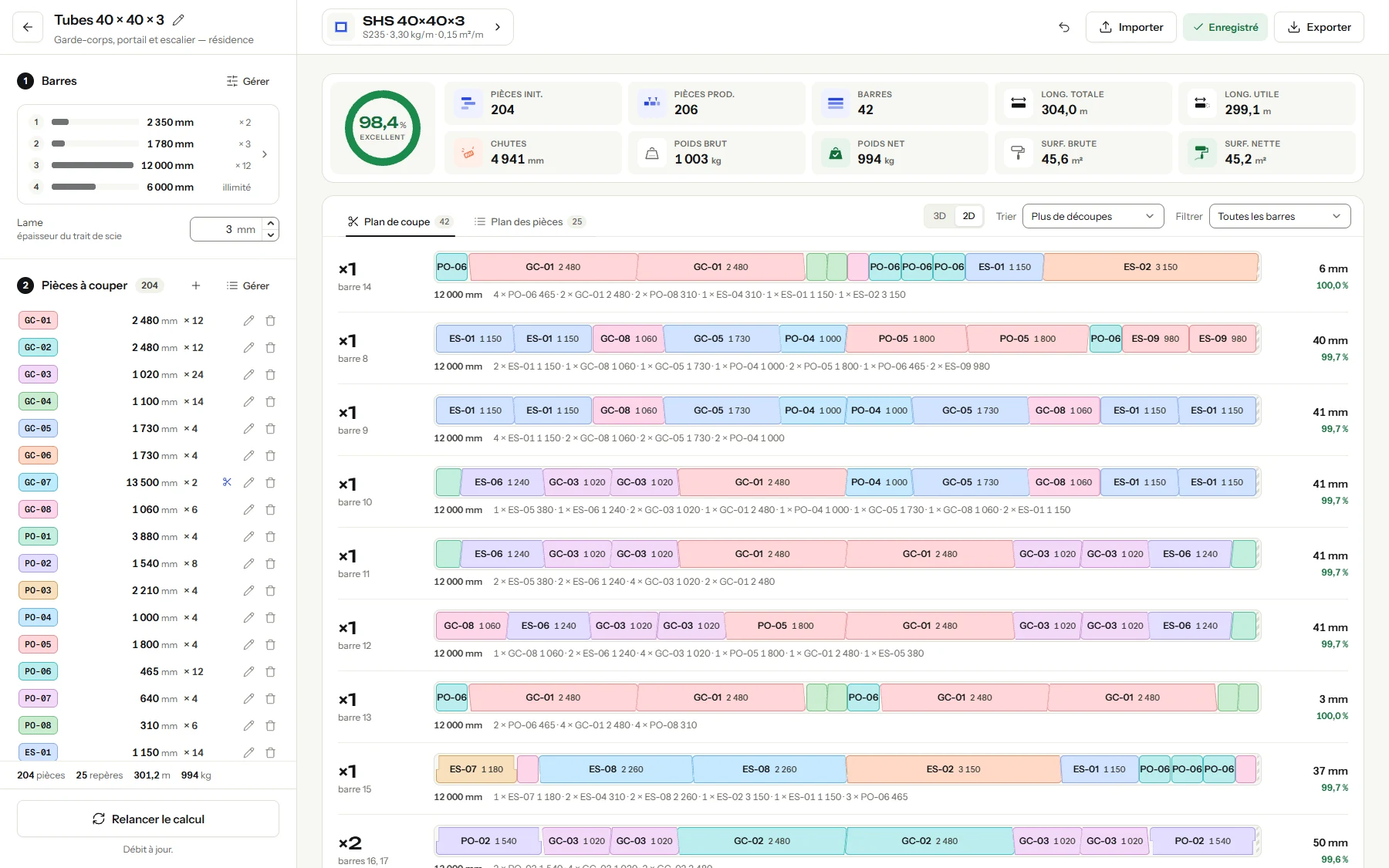
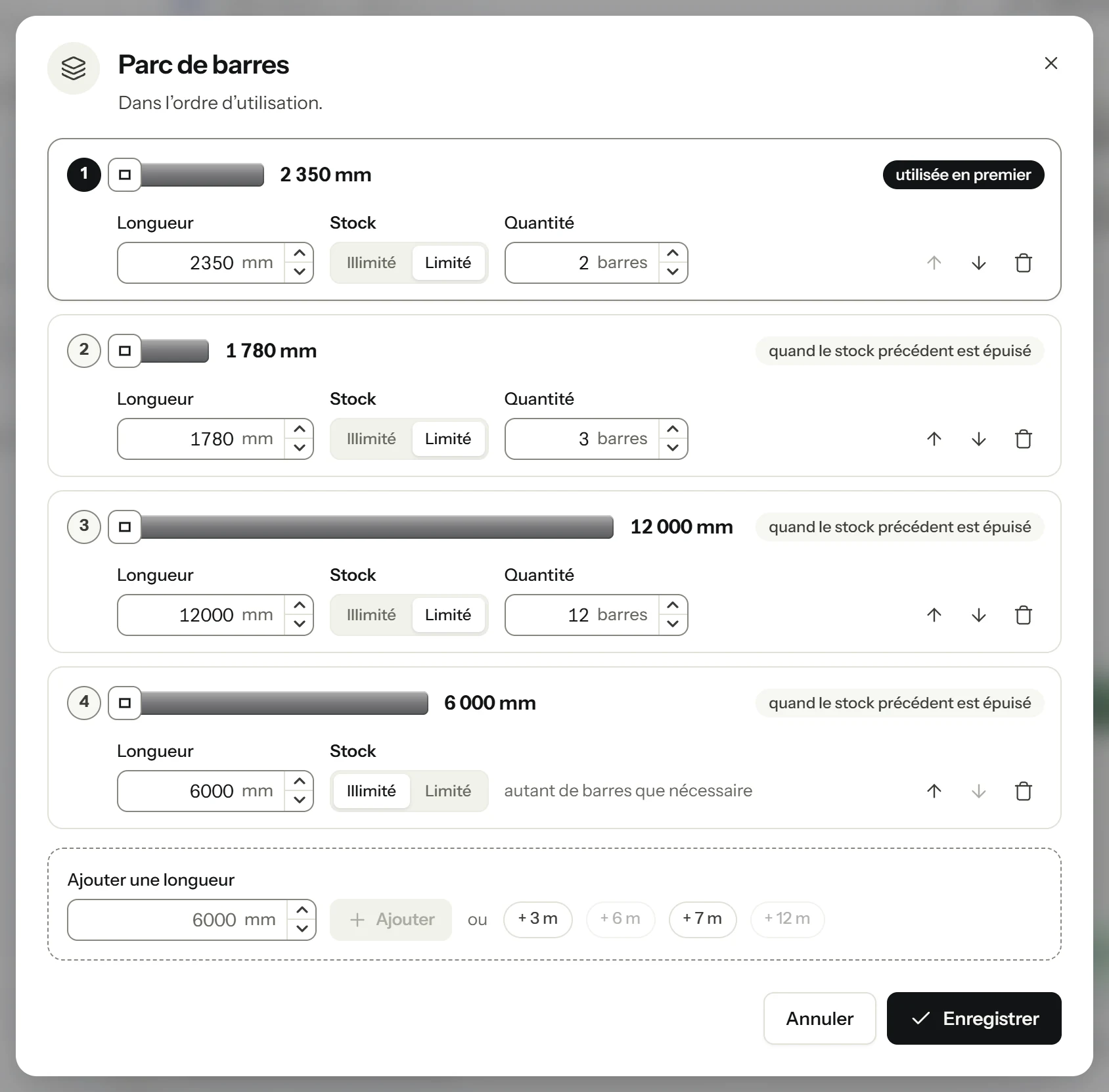
- Several stock lengths, in limited or unlimited quantities, with a priority order.
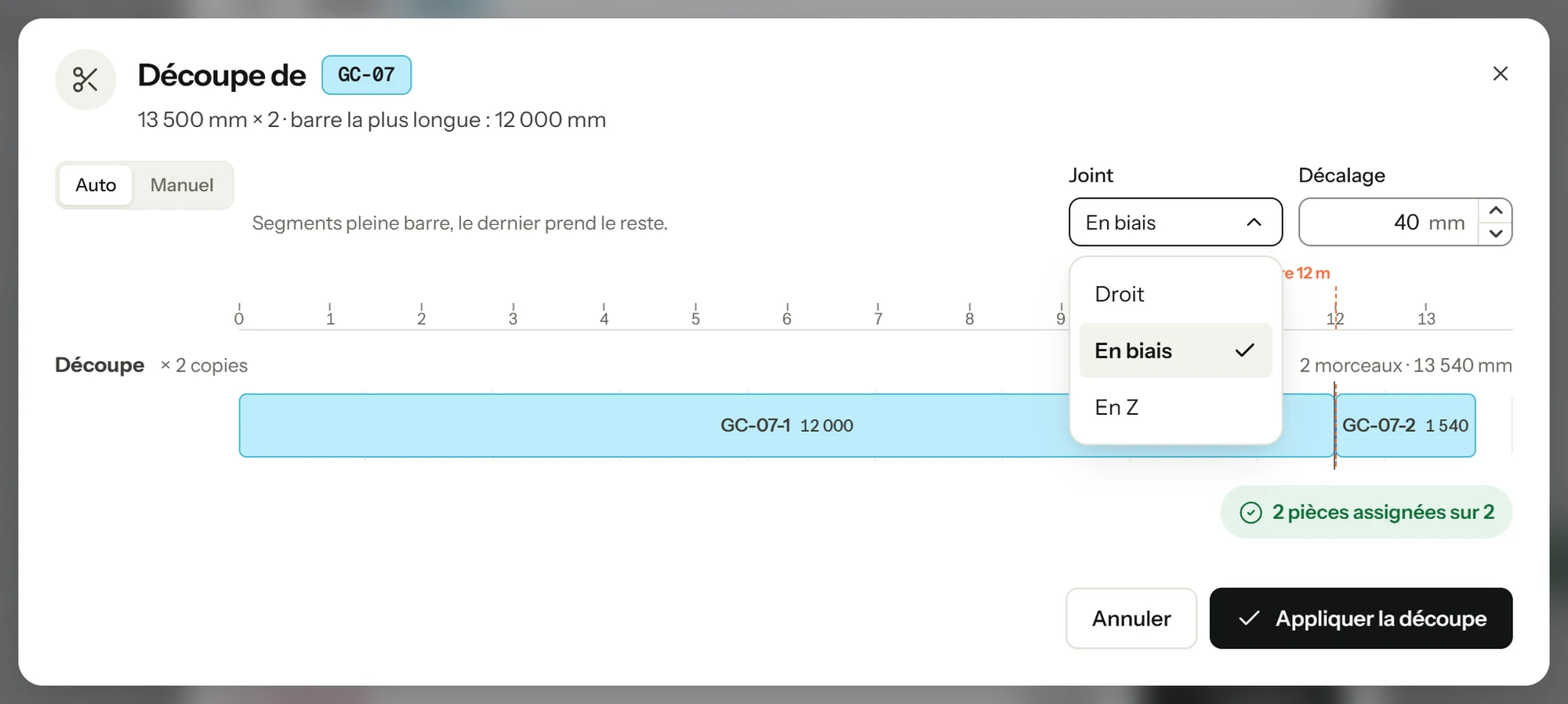
- Pieces longer than the bar split into sections, with the joint you choose.
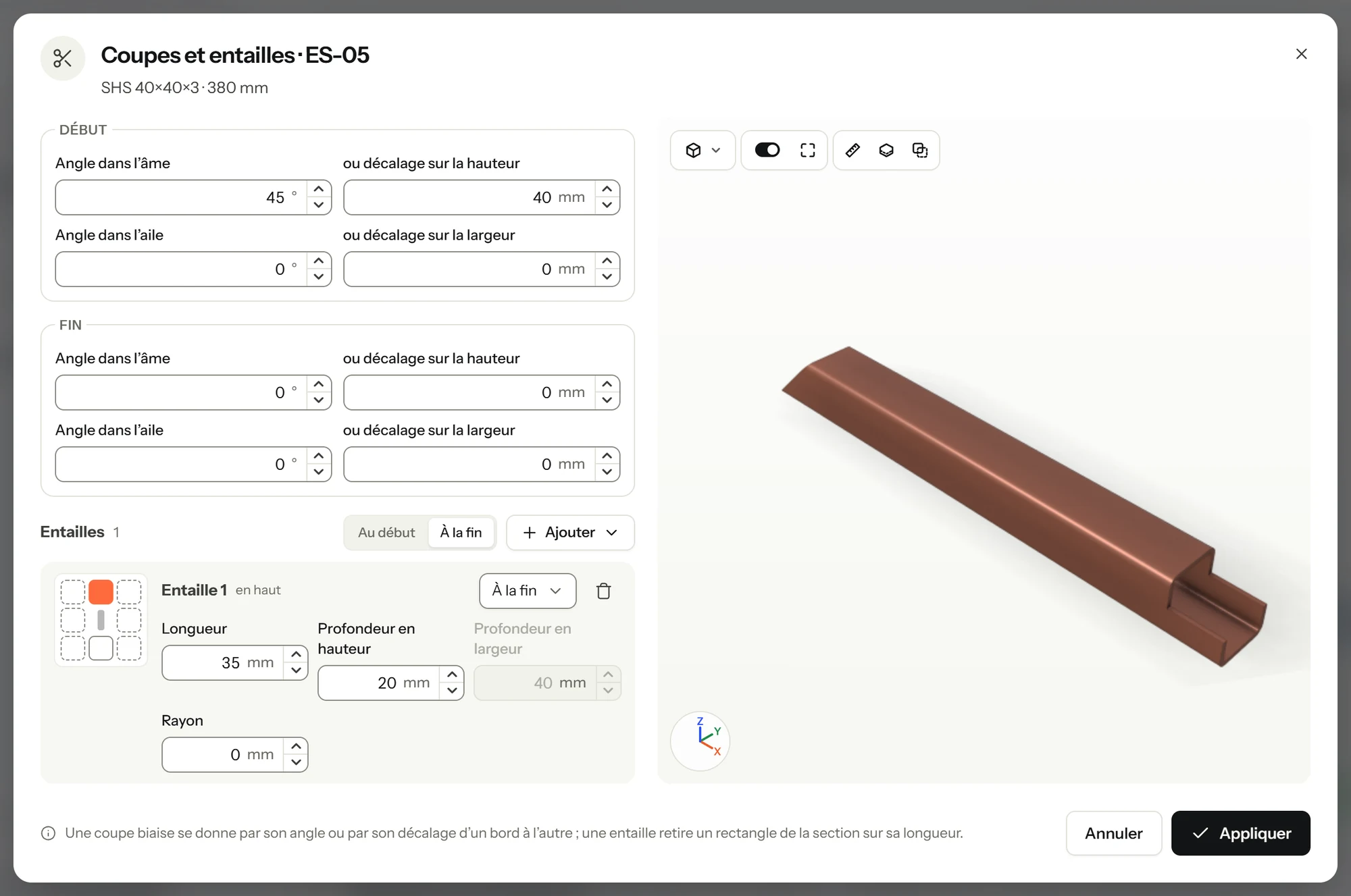
- Mitre cuts, bevel cuts and notches taken into account.
- Part lists imported from Excel or CSV, or pasted from a spreadsheet.
Sheets and plates
2D nesting for sheet work.
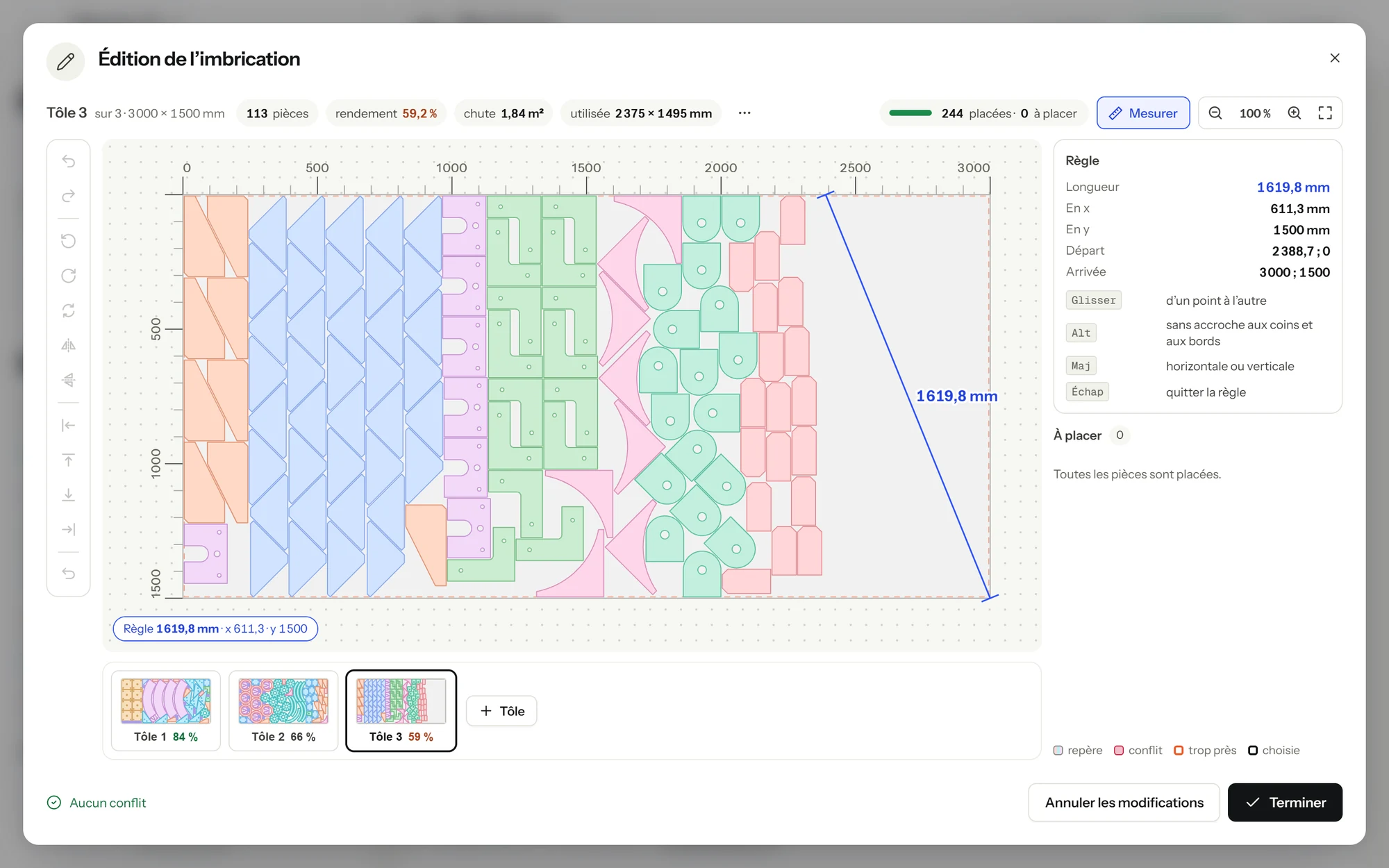
Place parts on available sheets, examine the resulting layouts and prepare the information needed for the next step in cutting.
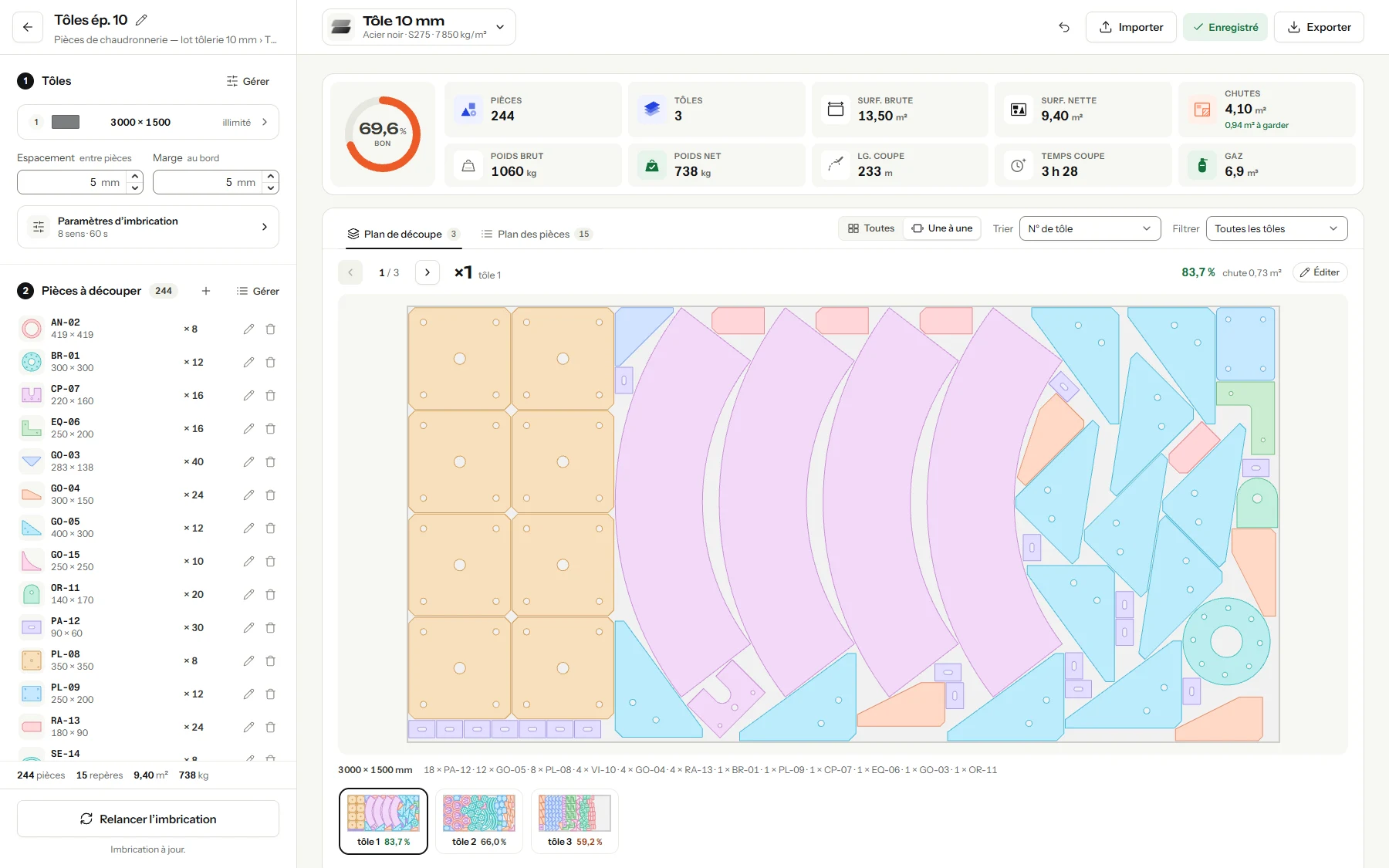
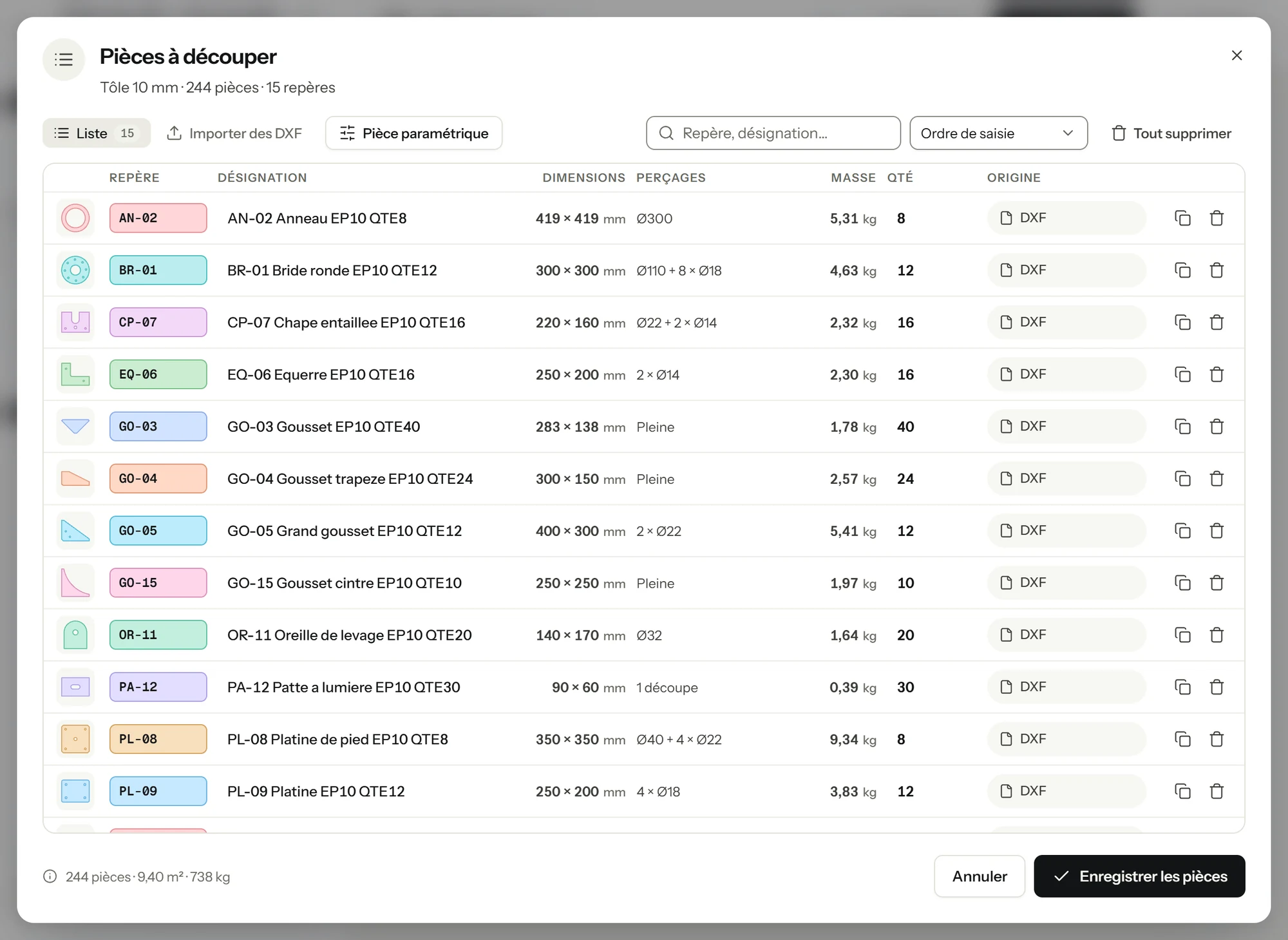
- DXF parts, with mark and quantity read from the file name.
- Several sheet sizes in stock.
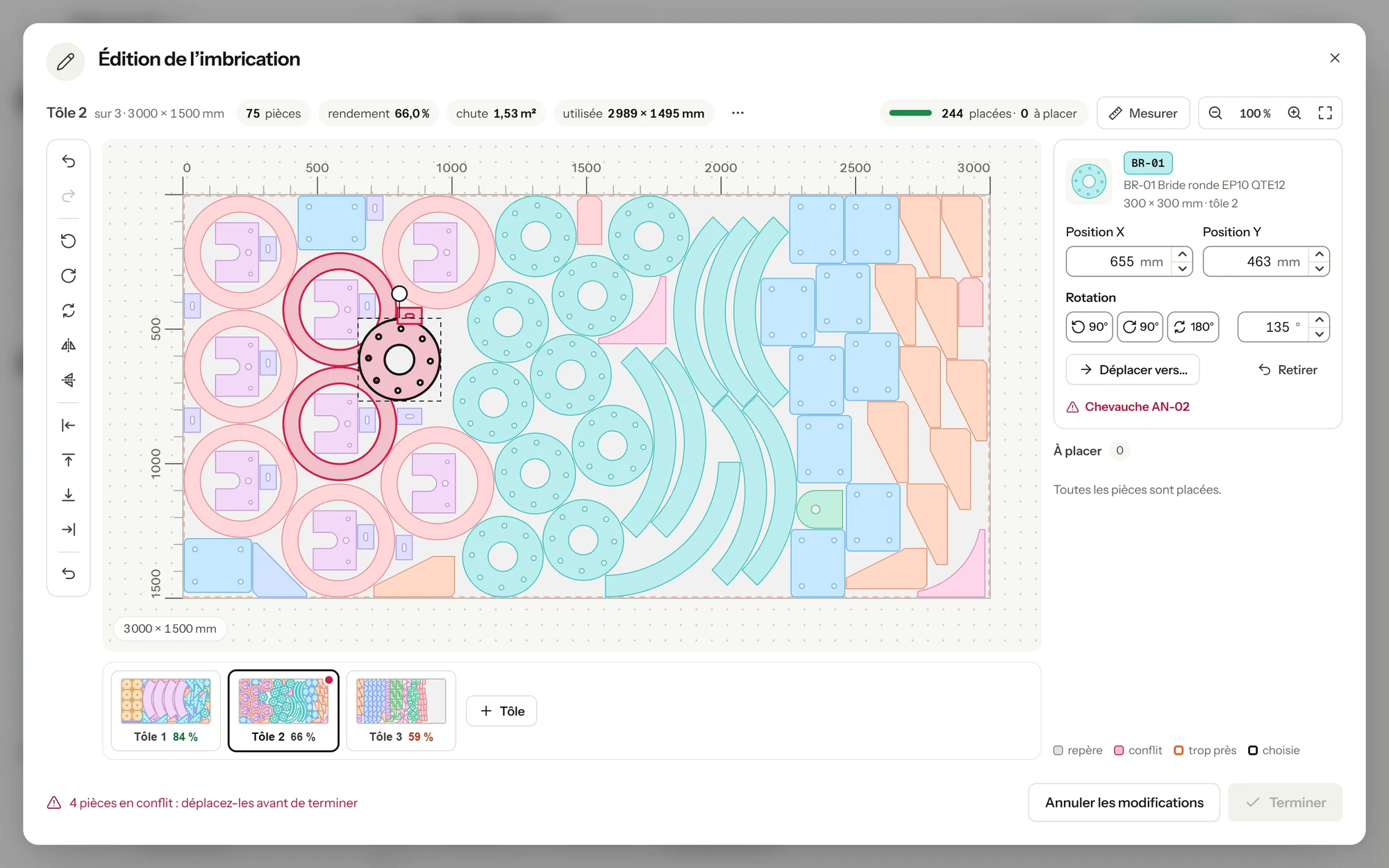
- Parts moved, rotated or sent to another sheet by hand, with overlaps flagged.
- Cut length, cutting time and gas shown for each layout.
Quantities and costing
A BOQ built from actual cutting work.
Pull quantities from different nesting jobs into one project view. Add your own unit prices and calculate estimated amounts. Your company remains free to format its commercial quotation the way it prefers.
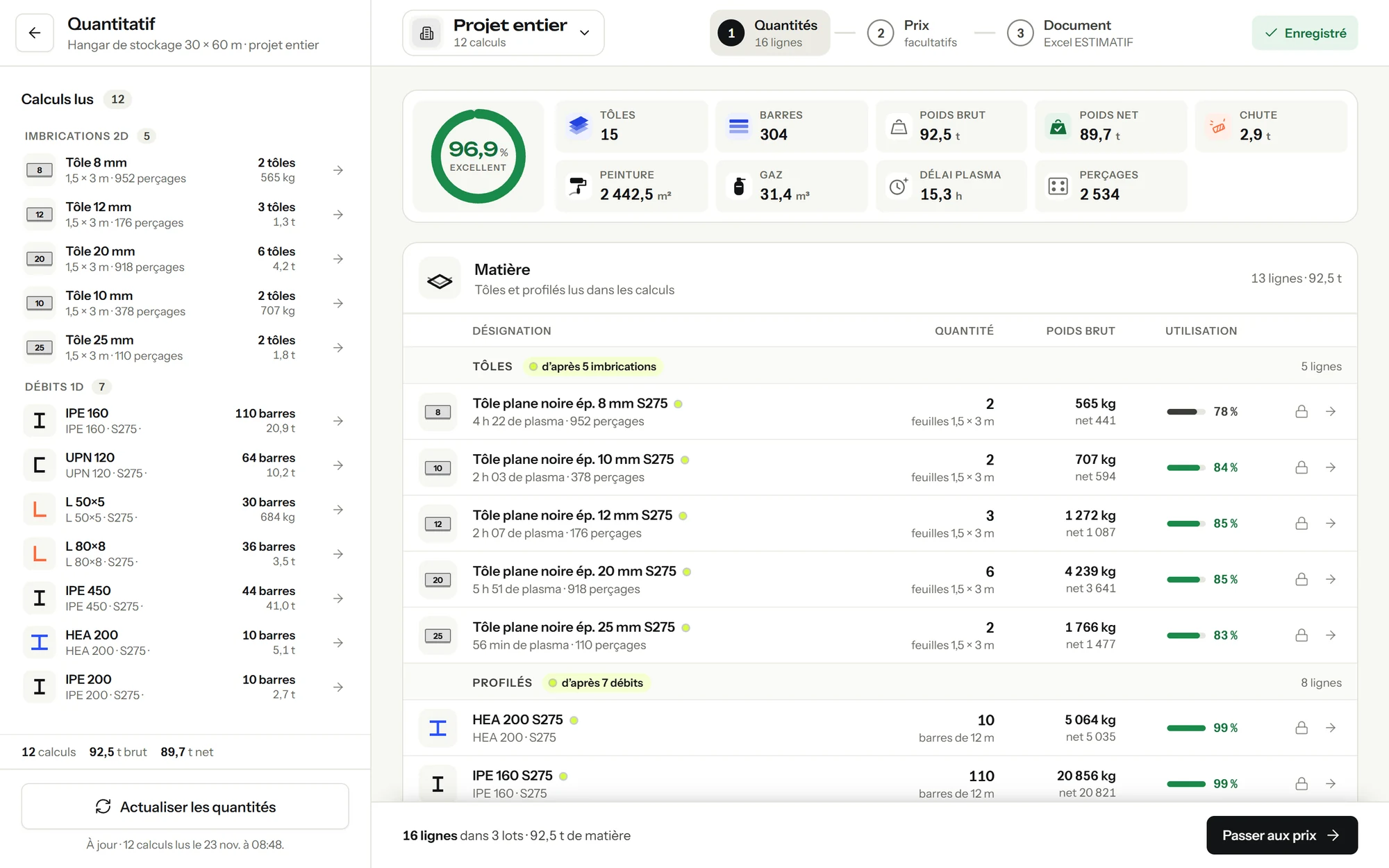
- Gross and net weight, by section and by thickness.
- Paint area, cutting time and gas taken from the calculations.
- Unit prices are optional. Lines without a price stay blank.
- The estimate exports to Excel, with totals kept as formulas.
Outputs
The output shouldn't stop at the screen.
Kalepis provides export options for sharing and preparing cutting work, including PDF documents, barcodes and DXF files. Available output formats depend on the relevant workflow.
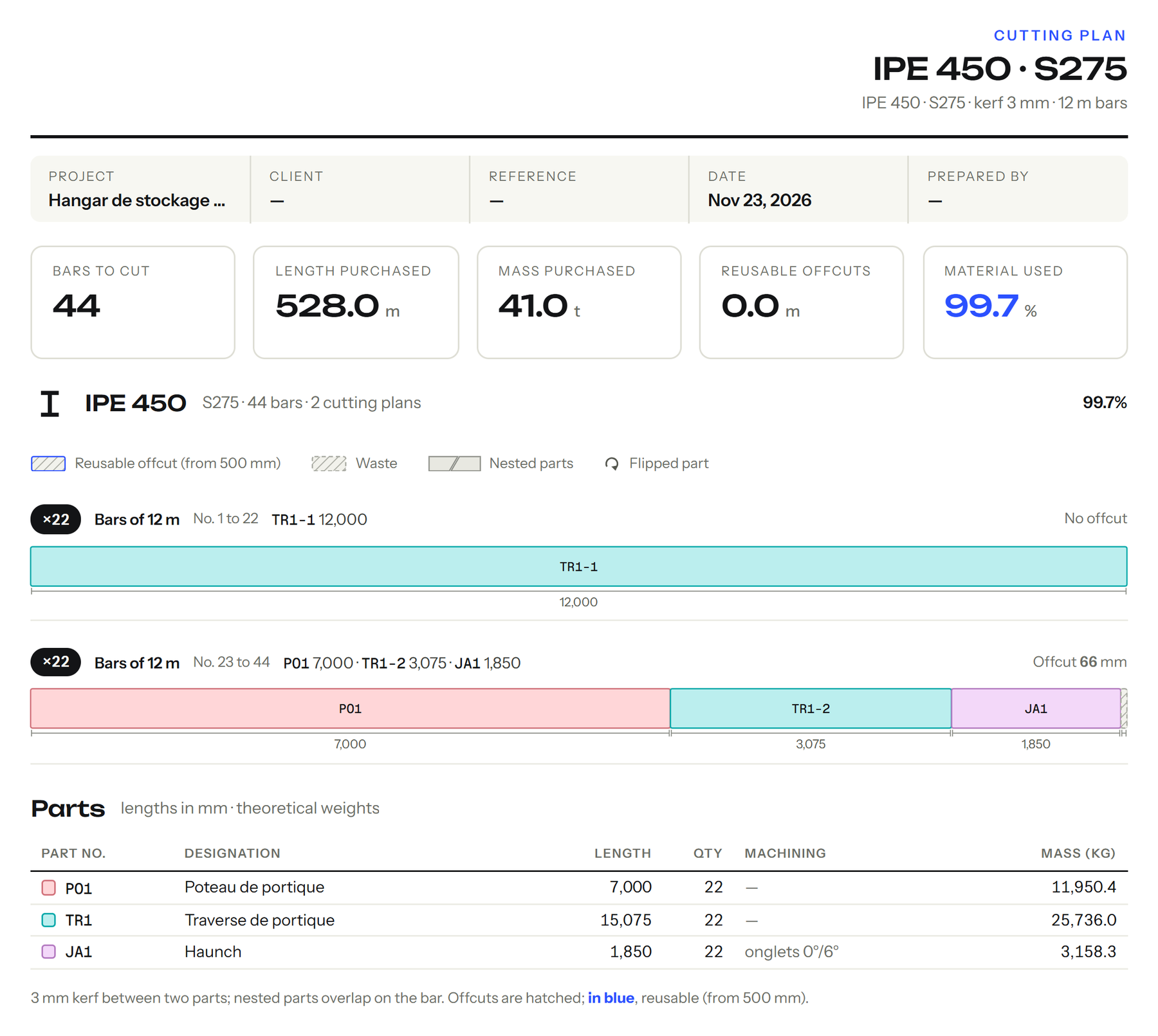
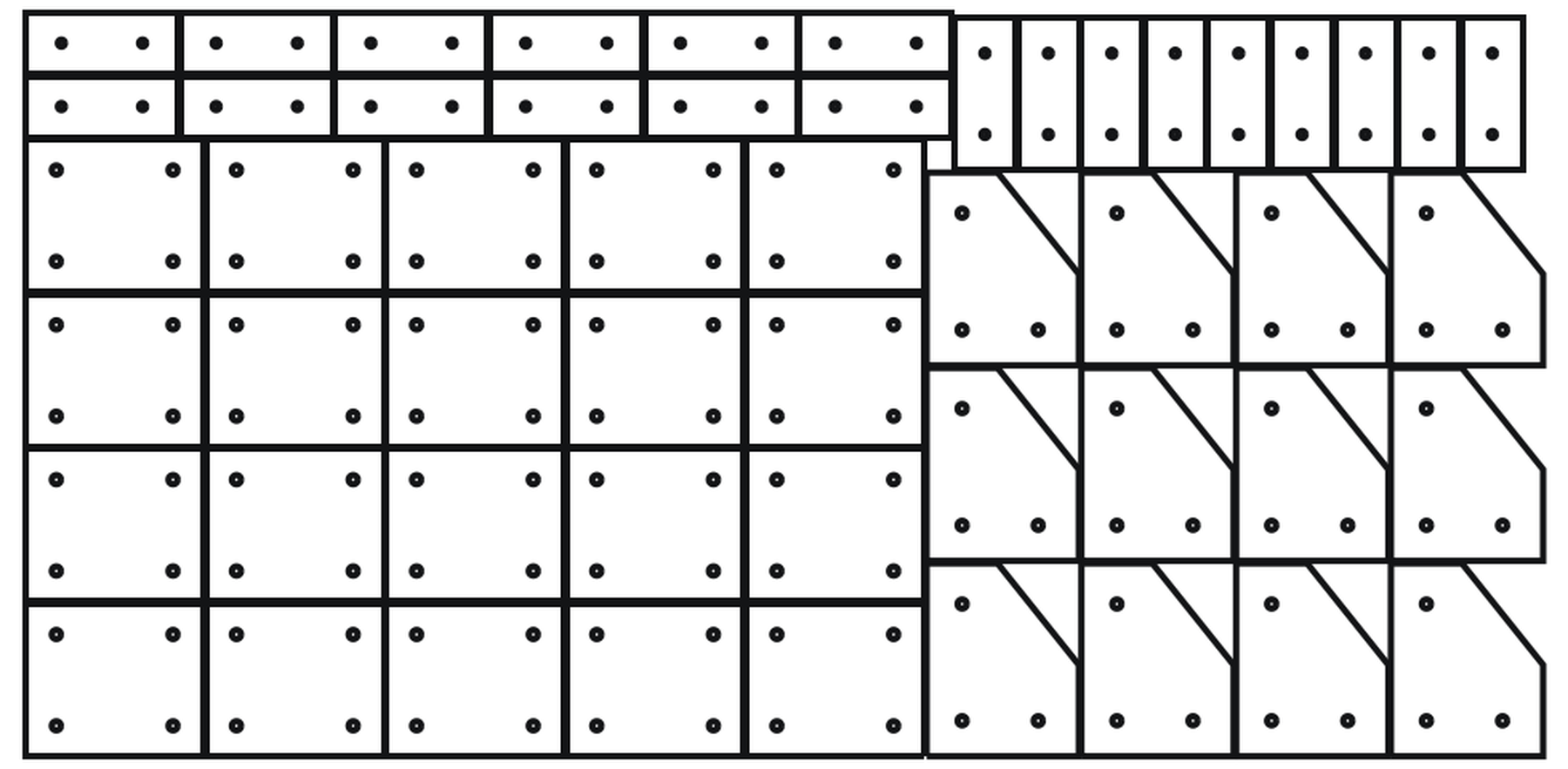
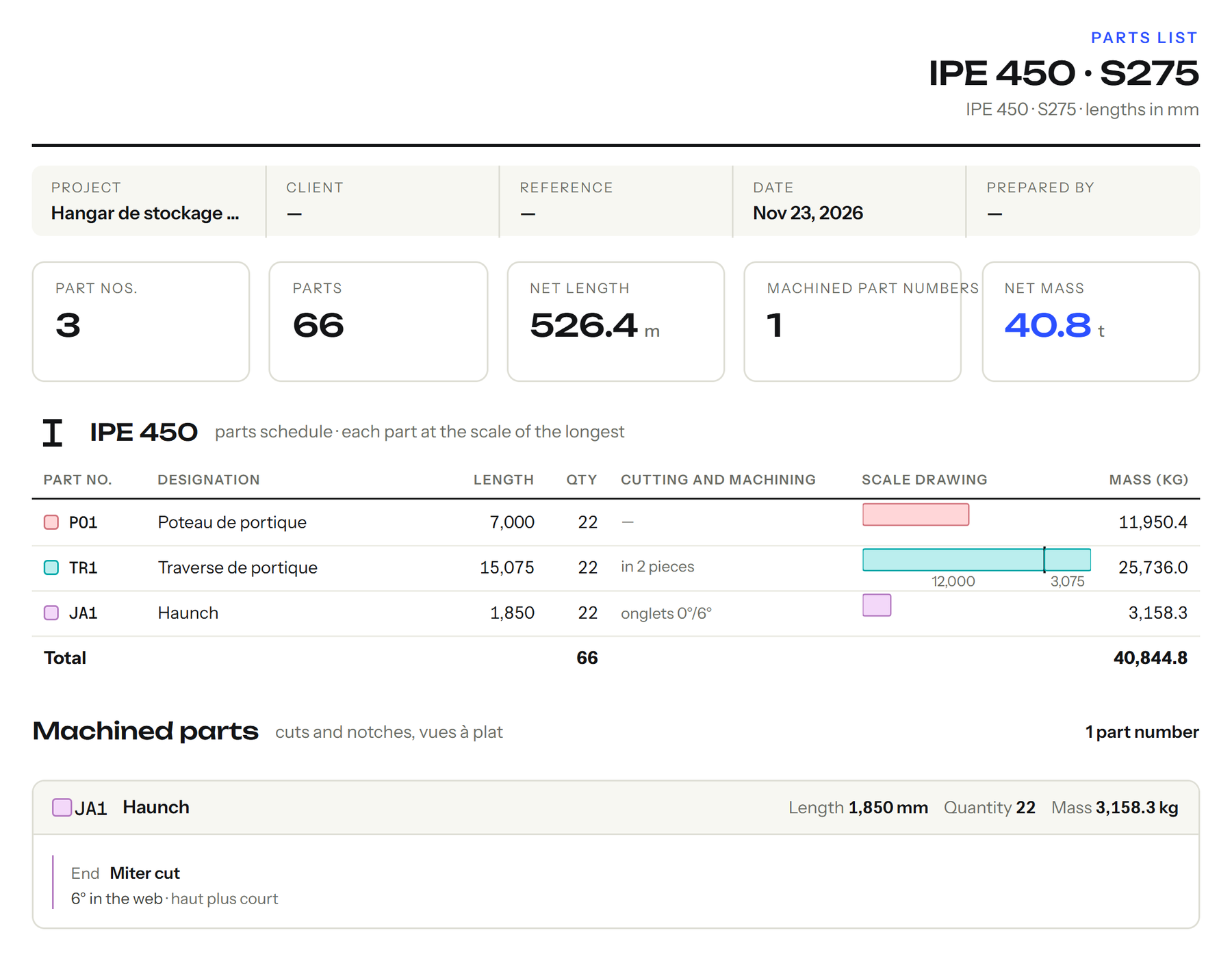
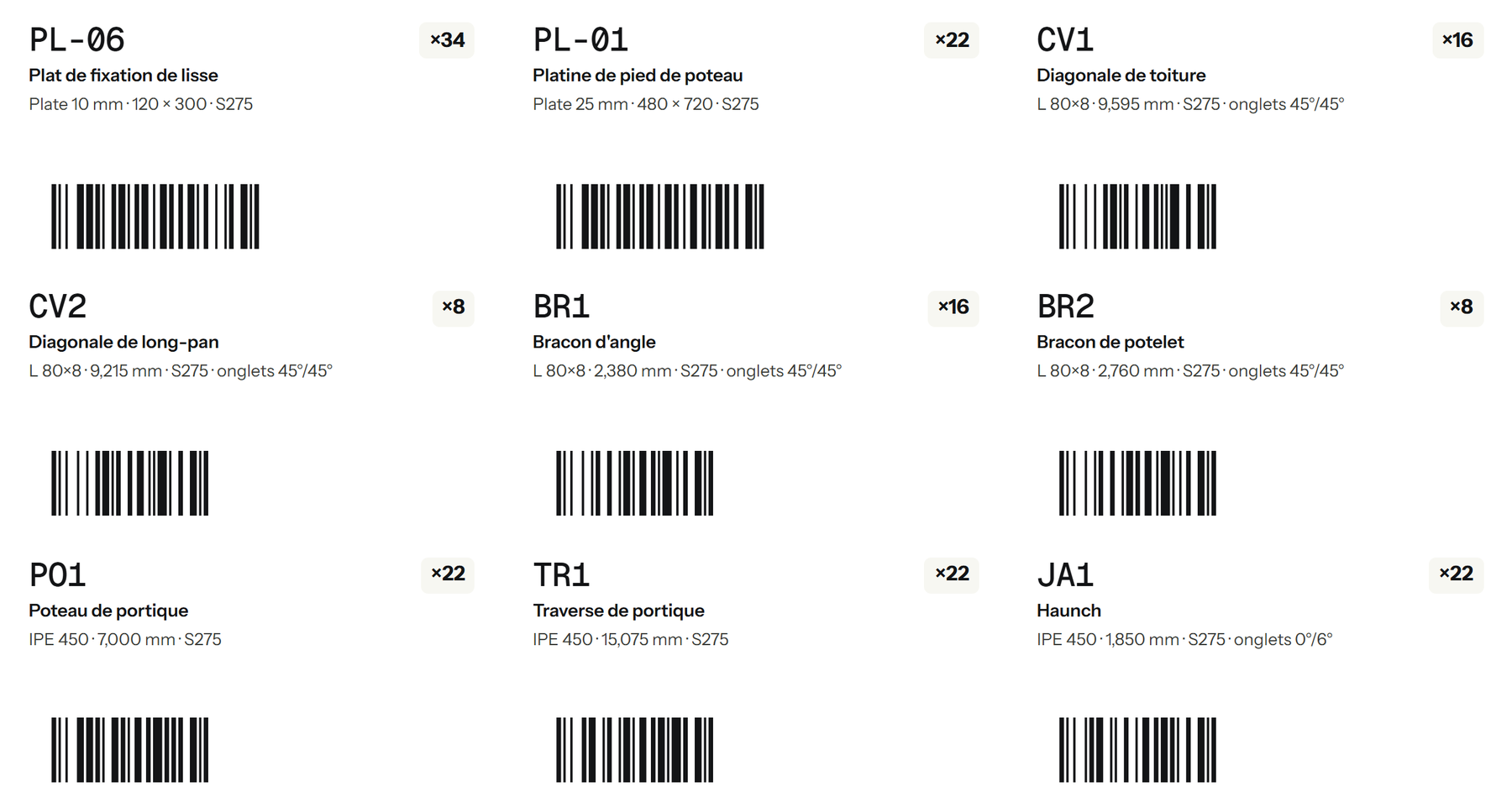
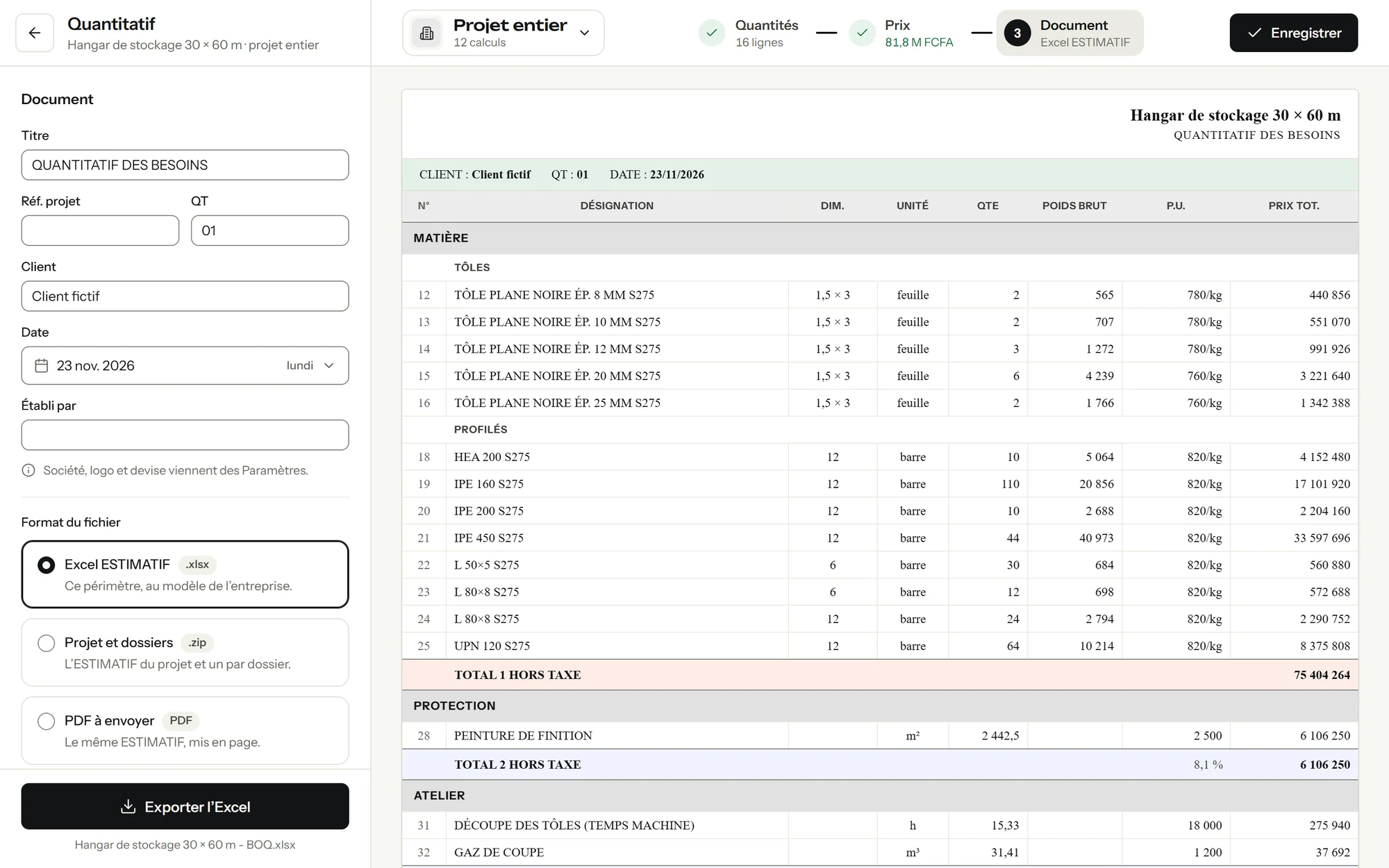
Real exports from Kalepis, on the sample warehouse project. Click an image to see it full size.
In detail
The cases you meet in the workshop.
Pick a feature to see how Kalepis handles it.

Questions
Does Kalepis support both profiles and sheets?
Yes. The current application includes 1D and 2D cutting optimization.
Can we estimate costs?
You can consolidate quantities in the BOQ, enter unit prices and calculate costs. Kalepis does not require you to use a predefined quotation format.
What can we export?
Supported outputs include PDF, barcodes and DXF. We'll confirm the available formats for your specific workflow during the demo.
What can we import?
Part lists from Excel or CSV files, rows pasted from a spreadsheet, and DXF files for sheet parts.
Which computers does it run on?
Kalepis is a desktop application for Windows.
How does a demo work?
By video call or in person, as you prefer. We go through a job close to yours; if you can, bring a cutting list or a few DXF parts. There is nothing to install on your side.
Is there a free trial or published price?
We're currently working directly with interested companies. Contact us for a demonstration and current availability.
Let's try it with a job you know.
Request a walkthrough. We can discuss a representative cutting case and the constraints that matter in your workshop.