For engineering offices
From the part list to the estimate.
A design choice changes the bars to buy, the plates to make and the price. Kalepis shows those consequences early, from the list you already have.
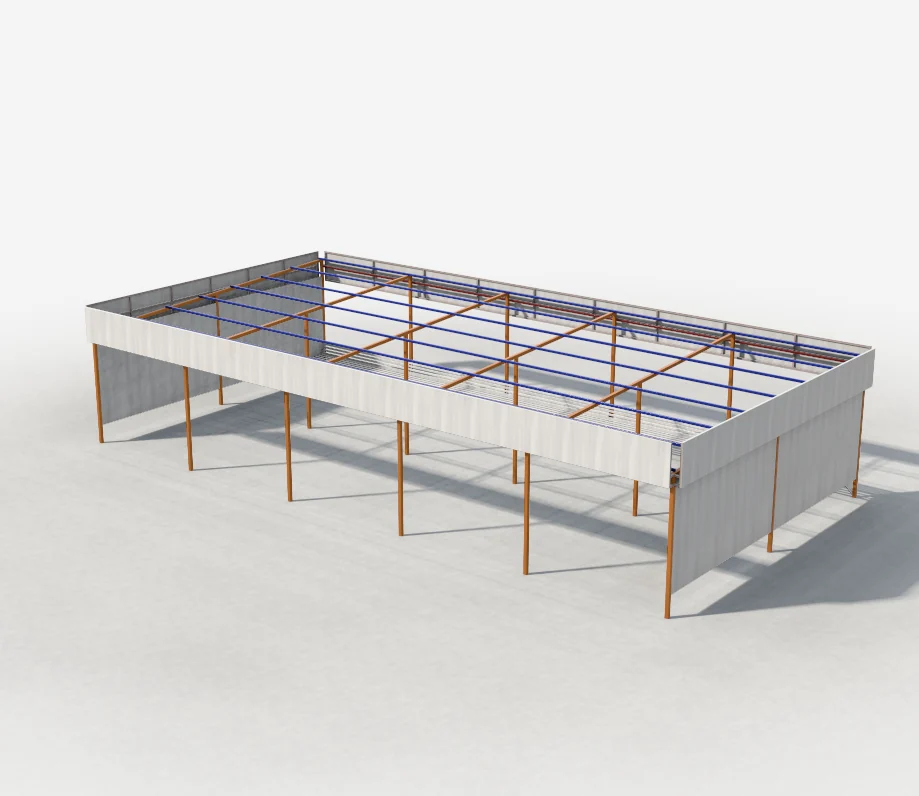
Drag to rotate
Loading the model…
Available now
What you can do today
Available in the application now, on your own lists and drawings.
1
What you bring
- Your part list, pasted from Excel or imported as CSV, with marks, sections, lengths and cuts.
- The plate parts in DXF.
- Built-up welded sections (PRS, the French term) that you size yourself.
2
What you decide in Kalepis
- The material needs of each option, calculated in separate projects so you can compare them.
- Commercial lengths and sheet sizes, as the fabricator will buy them.
- Unit prices, per kilo, per bar or per sheet.
3
What your workshop gets back
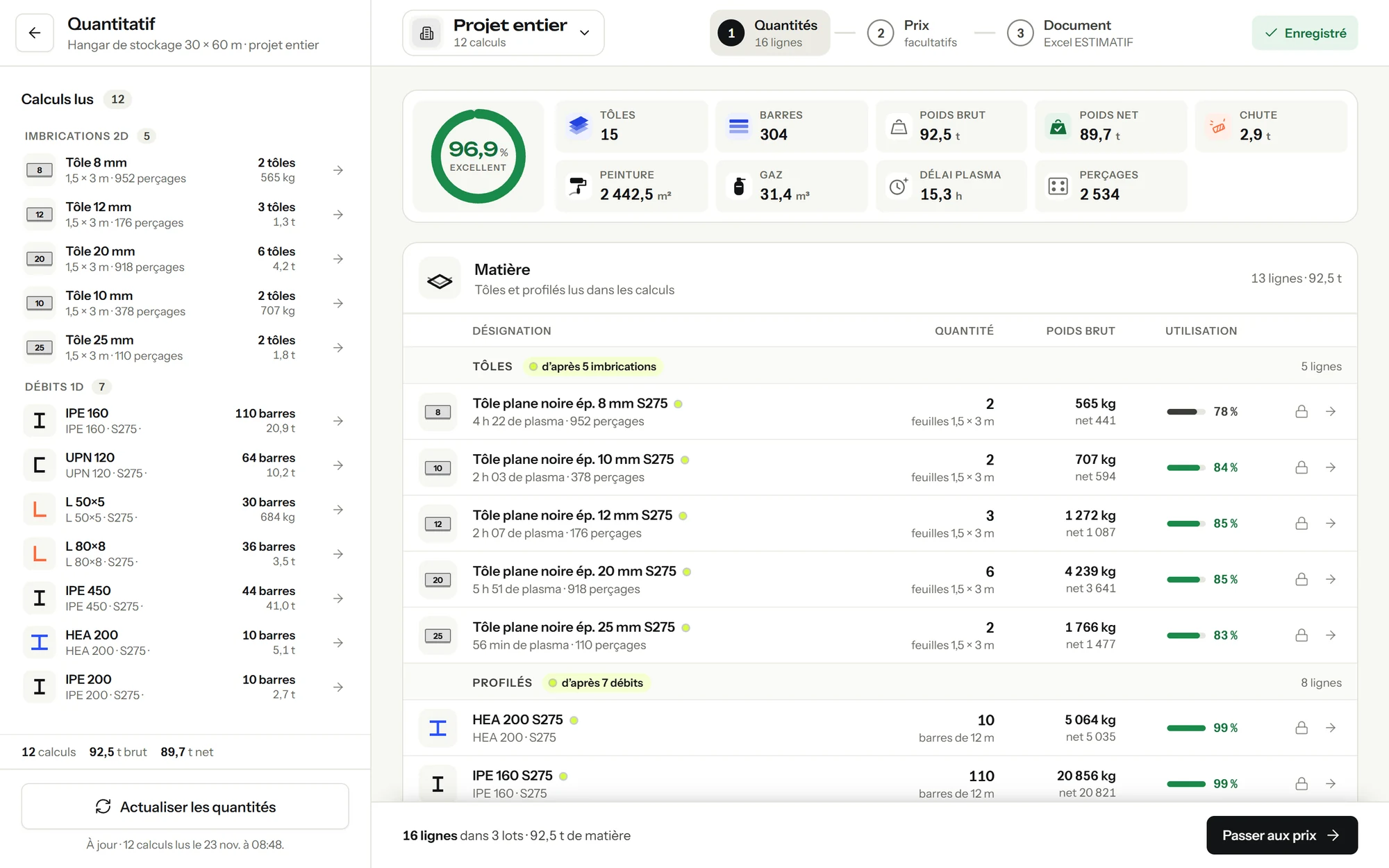
- A BOQ by lot with gross and net weights and paint areas.
- An estimate you can open in Excel.
- Cutting lists and plans to attach to the tender file.
What Kalepis will do for you next
In development. These are intentions, not features yet: each will be announced when it is ready, and will keep the engineer in control.
- In development
From the specification to a structure
The request read, the missing information asked for, a structure proposed for you to review.
- In development
Calculations you sign
Structural analysis and connection design, with calculation notes the engineer reads and signs.
- In development
Options compared side by side
Two or three structures compared by weight, by cost and by fabrication time.
- In development
One model shared with the shop
The model you validate becomes the fabricator's model, without typing anything again.
Have a cutting job you’d like to walk through with us?
Bring a cutting list or a few DXF parts. We’ll look at how you prepare that work today, and go through it together in Kalepis.