Everything you can do in Kalepis today.
This is the application available for demonstration now, feature by feature. Every screen on this page comes from the app itself.
Projects and folders
Keep every job in one place, organised the way your workshop thinks.
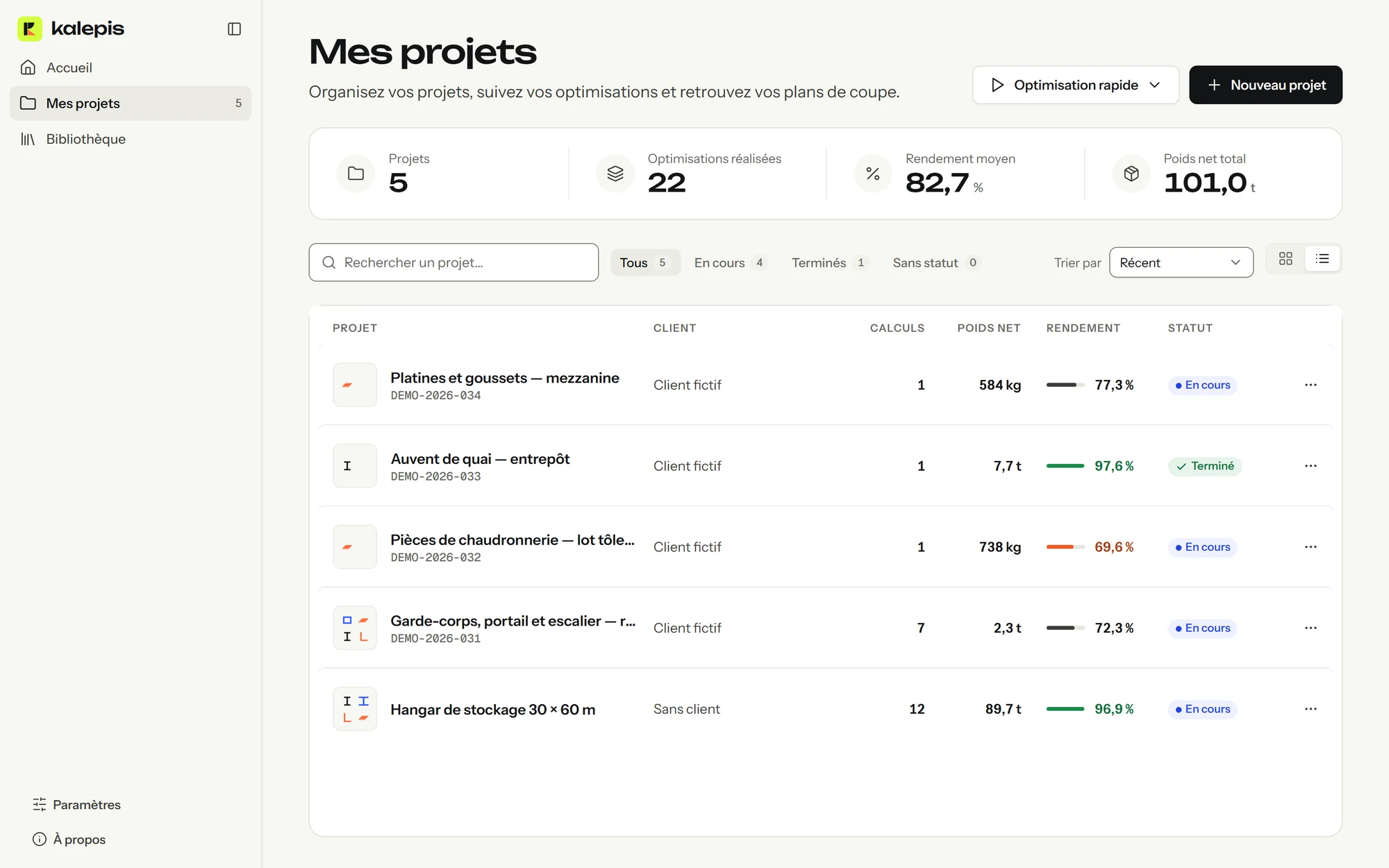
- A home page with your recent projects and your material yield by day, week or month.
- Your projects as a grid or a list, with search, filters and sorting.
- Nested folders inside a project, each with its own figures.
- Move, duplicate or delete a project or a folder.
Bar and profile cutting (1D)
Cutting plans that handle the cases you meet every day in the workshop.
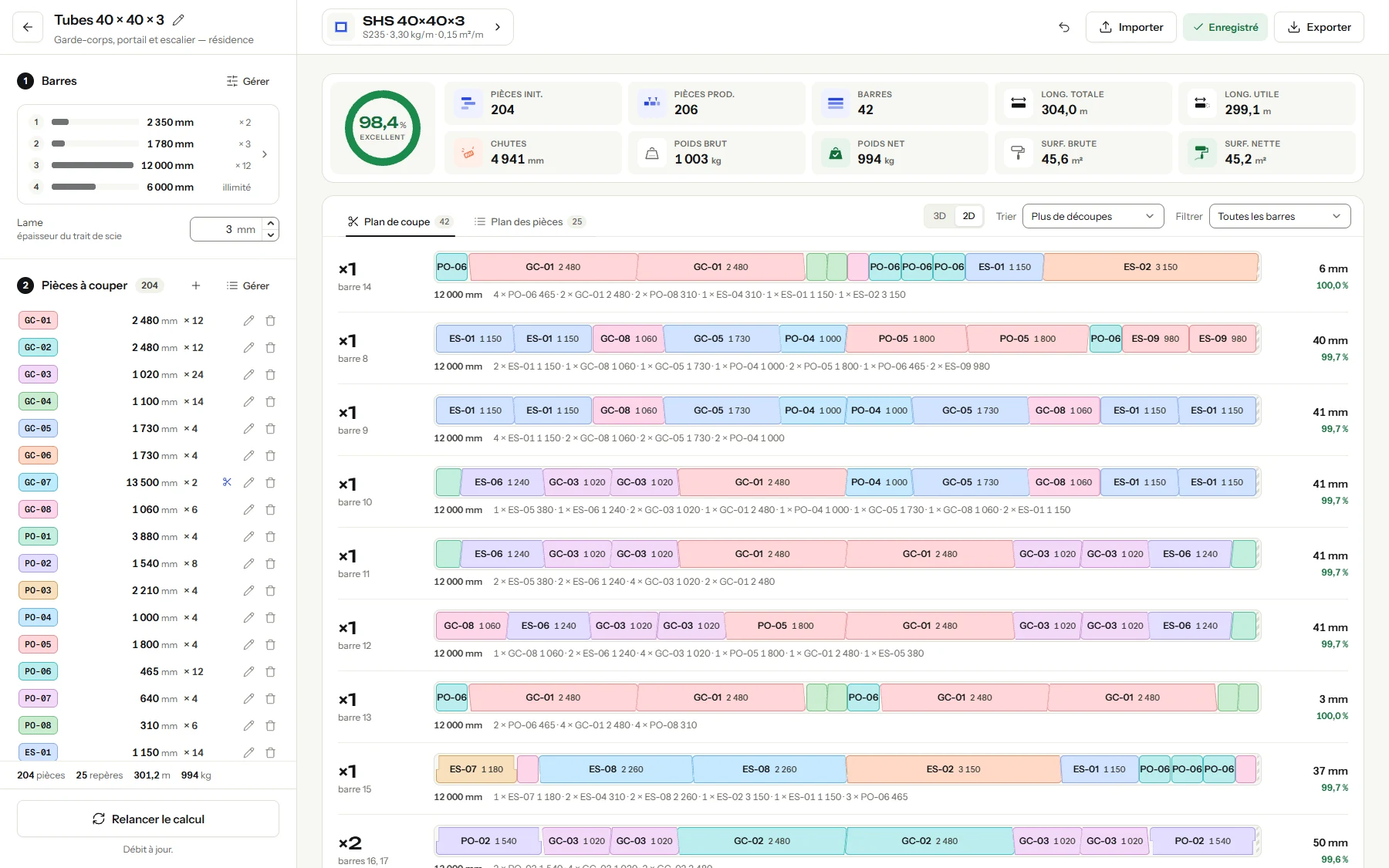
- Bar stock with several lengths, limited or unlimited, in your order of priority, offcuts first.
- Pieces typed in, pasted from Excel or imported from Excel and CSV files.
- Mitre and bevel cuts at each end, notches at the start, at the end or at a given position.
- Pieces longer than the bar split automatically or by hand, with a straight, bevel or Z joint.
- Bevel-cut pieces nested head to tail, so the bar carries one more.
- The cutting plan and the parts plan, in 2D and in 3D.
Sheet nesting (2D)
Your parts placed on your sheets, with every figure the workshop needs.
- DXF parts with mark and quantity read from the file name, and a preview before adding.
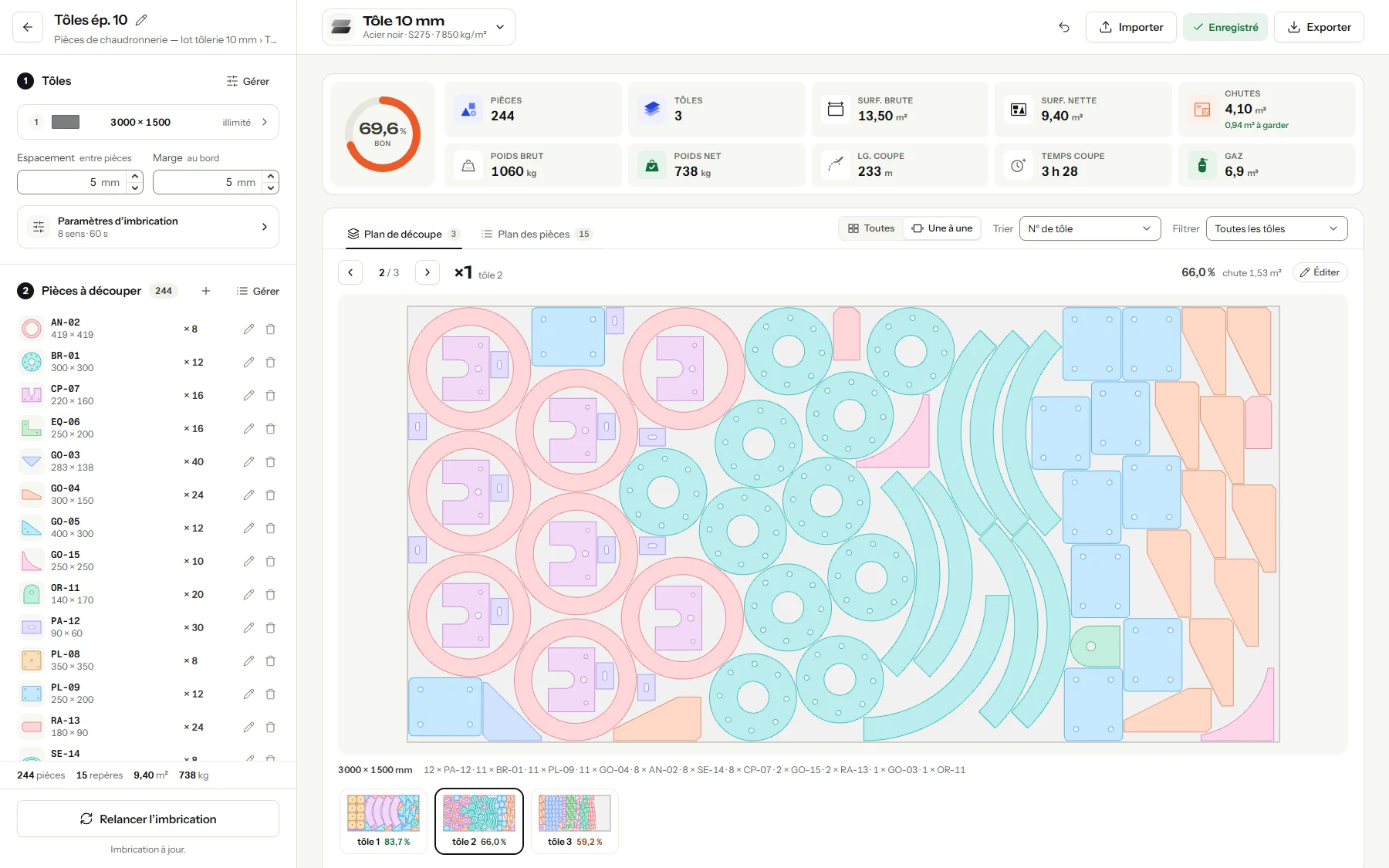
- Several sheet sizes in stock, with quantities and priority, gaps and edge margin.
- A calculation you follow live, sheet by sheet.
- Editing by hand on every sheet: move, rotate, push, send to another sheet, place without calculating.
- Overlaps flagged at once, a ruler to measure, the reusable offcut measured.
- Cut length, cutting time, gas and holes for each sheet.
Parametric parts
No DXF to hand? Build the part from a library of 74 parametric shapes.
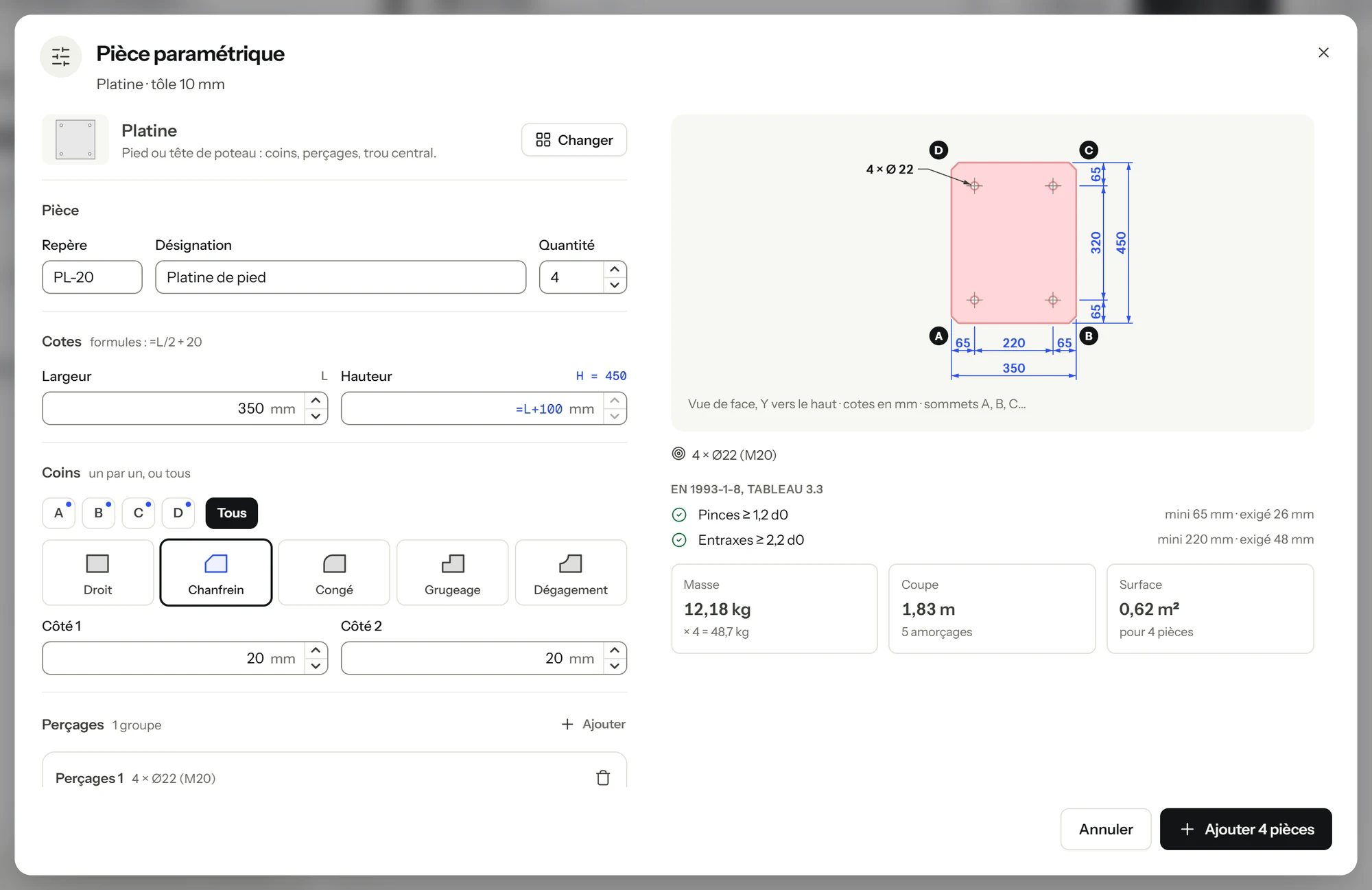
- 74 shapes: base plates, gussets, stiffeners, strips for welded I-sections, gutters, developed folds and more.
- Dimensions entered as values or as formulas.
- A preview of the part as you type.
- Nested on the sheets alongside your DXF parts.
Built-up welded sections
I-sections welded from three plates (a web and two flanges, called PRS in French) that you size yourself, from the drawing to the cut.
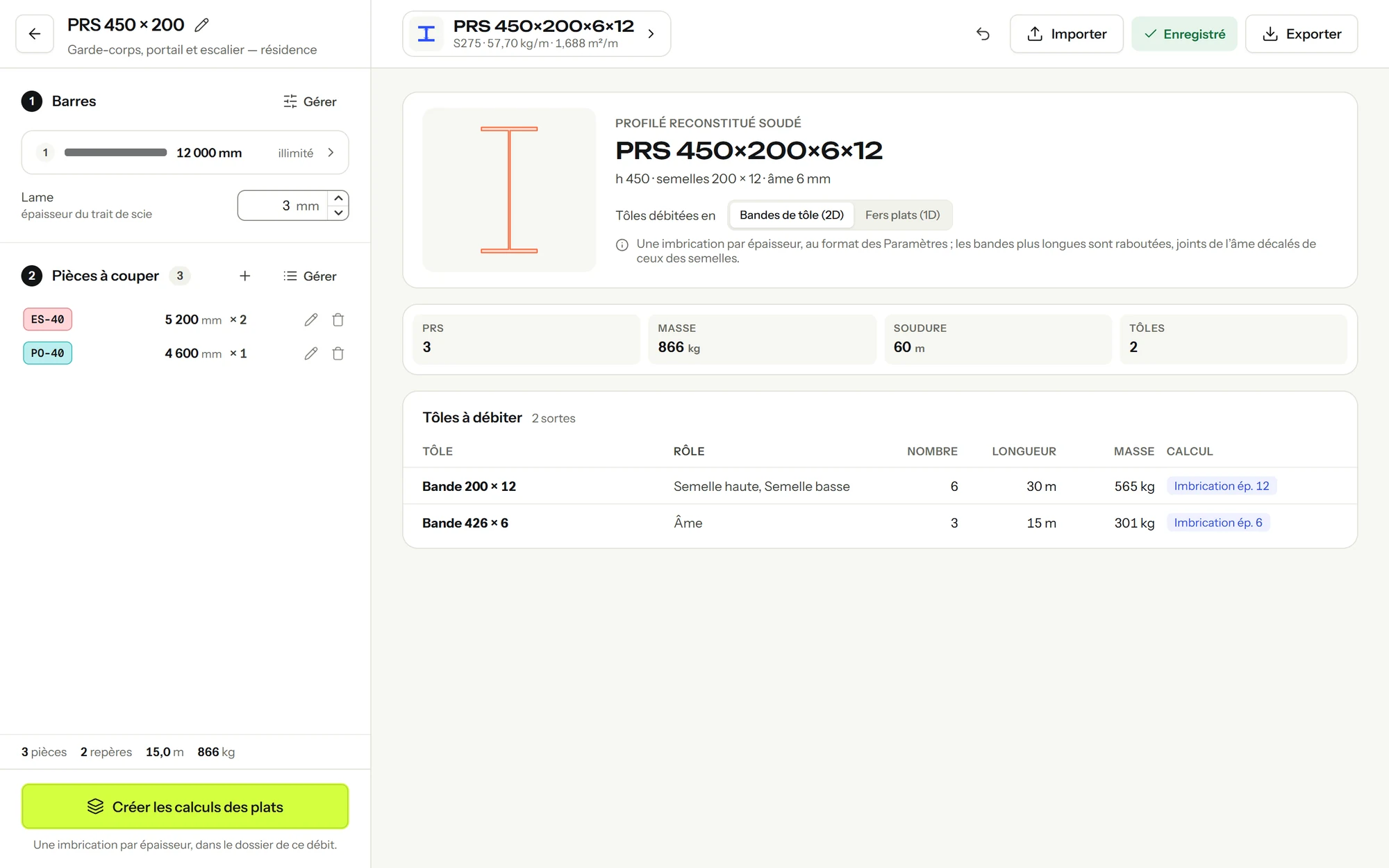
- A dimensioned drawing for each built-up section.
- Web and flanges sent to cutting as plate strips or as flat bars, as you prefer.
- Their weight and paint area counted in the BOQ like any other section.
Bill of quantities and estimate
Quantities taken from your calculations, never typed twice.
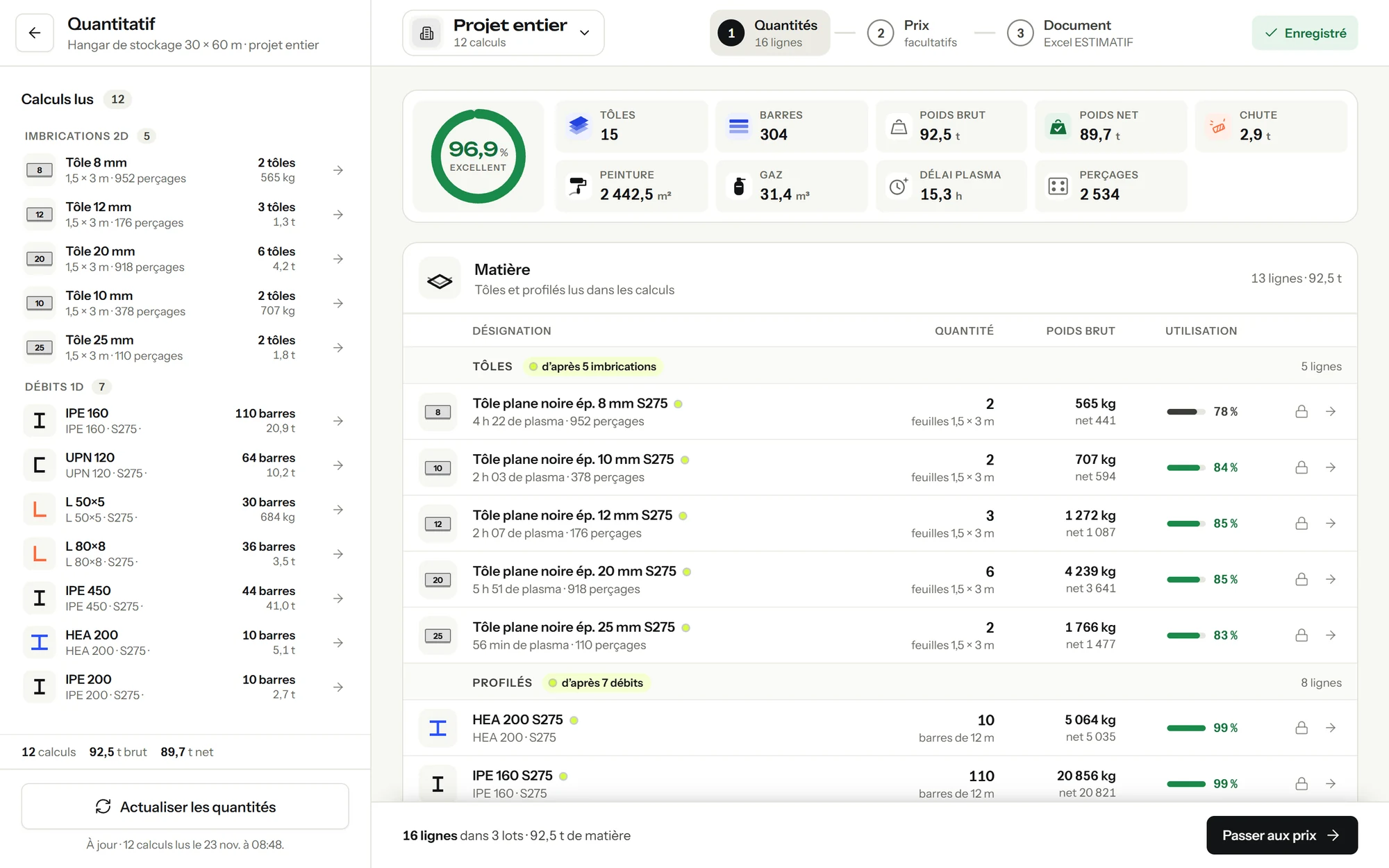
- Three steps: quantities, prices, document.
- Plates, bars, gross and net weight, paint area, gas and cutting time from every calculation.
- Unit prices are optional, per kilo, per bar or per sheet.
- An Excel estimate with live formulas and your company header, or a PDF; one file per folder if you wish.
Documents for the workshop
Clean PDFs with a consistent layout, and the files your machines read.
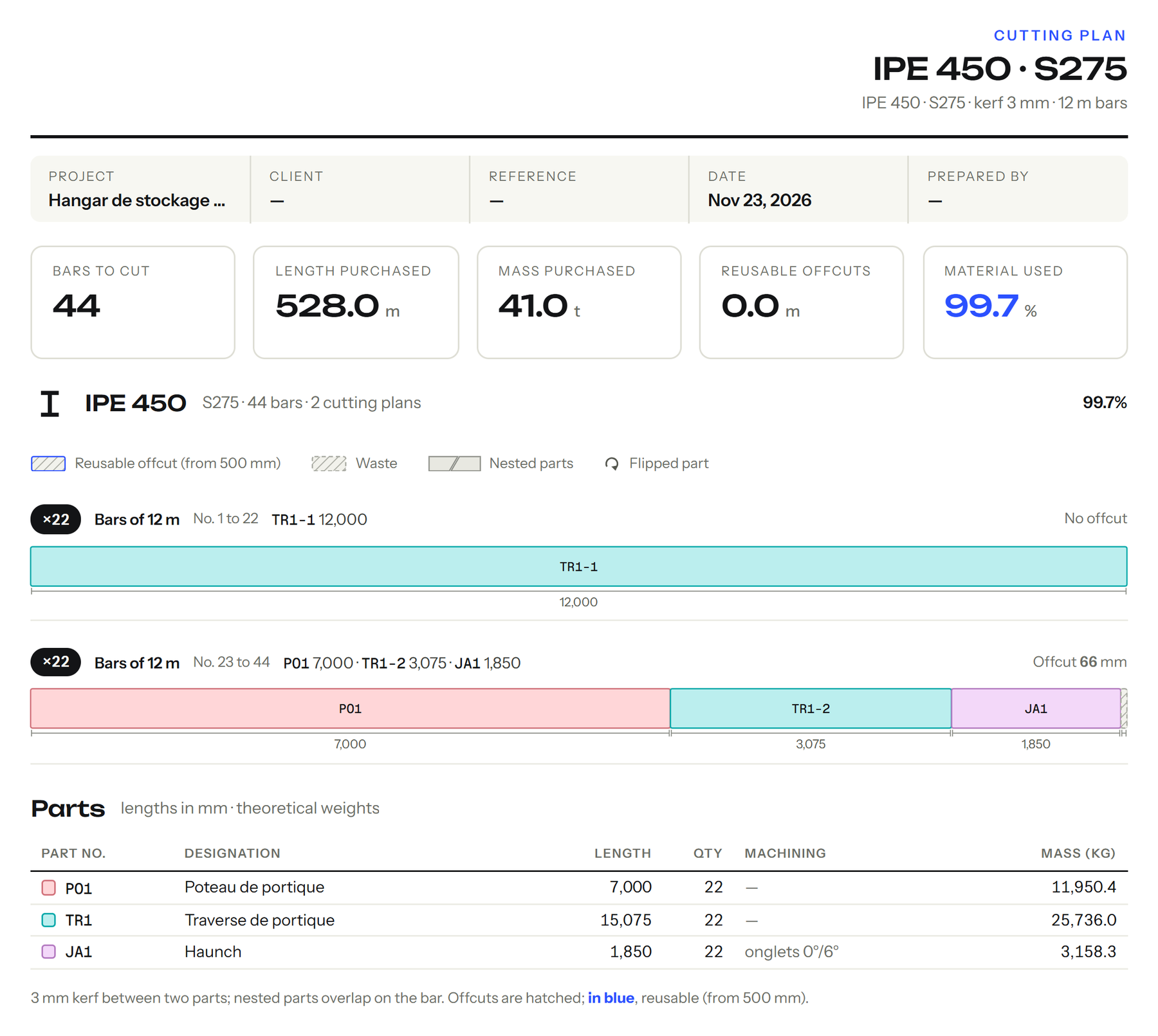
- Bar cutting plan and part list.
- Part labels with a Code 128 barcode.
- Sheet cutting plan and sheet parts.
- A DXF file per sheet for the cutting table.
- The complete fabrication bundle for a project.
The library
The sections and materials you work with, ready from day one.
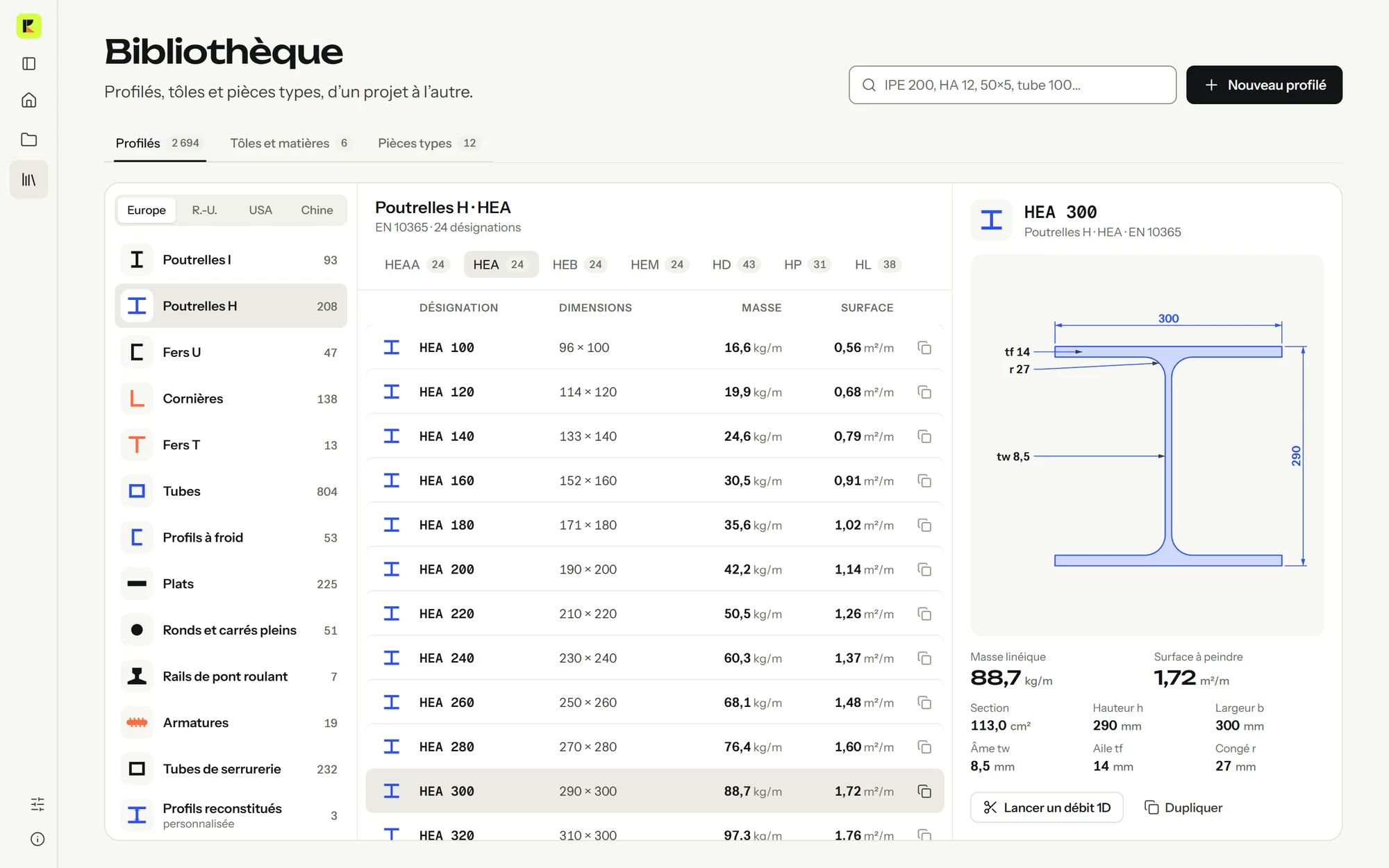
- 2,694 sections from 4 standards, shared with the cutting calculations.
- Your own sections added when you need them.
- Materials with their density, so weights are right.
- Standard parts you reuse from one project to the next.
Settings and data
Set Kalepis up once for your workshop.
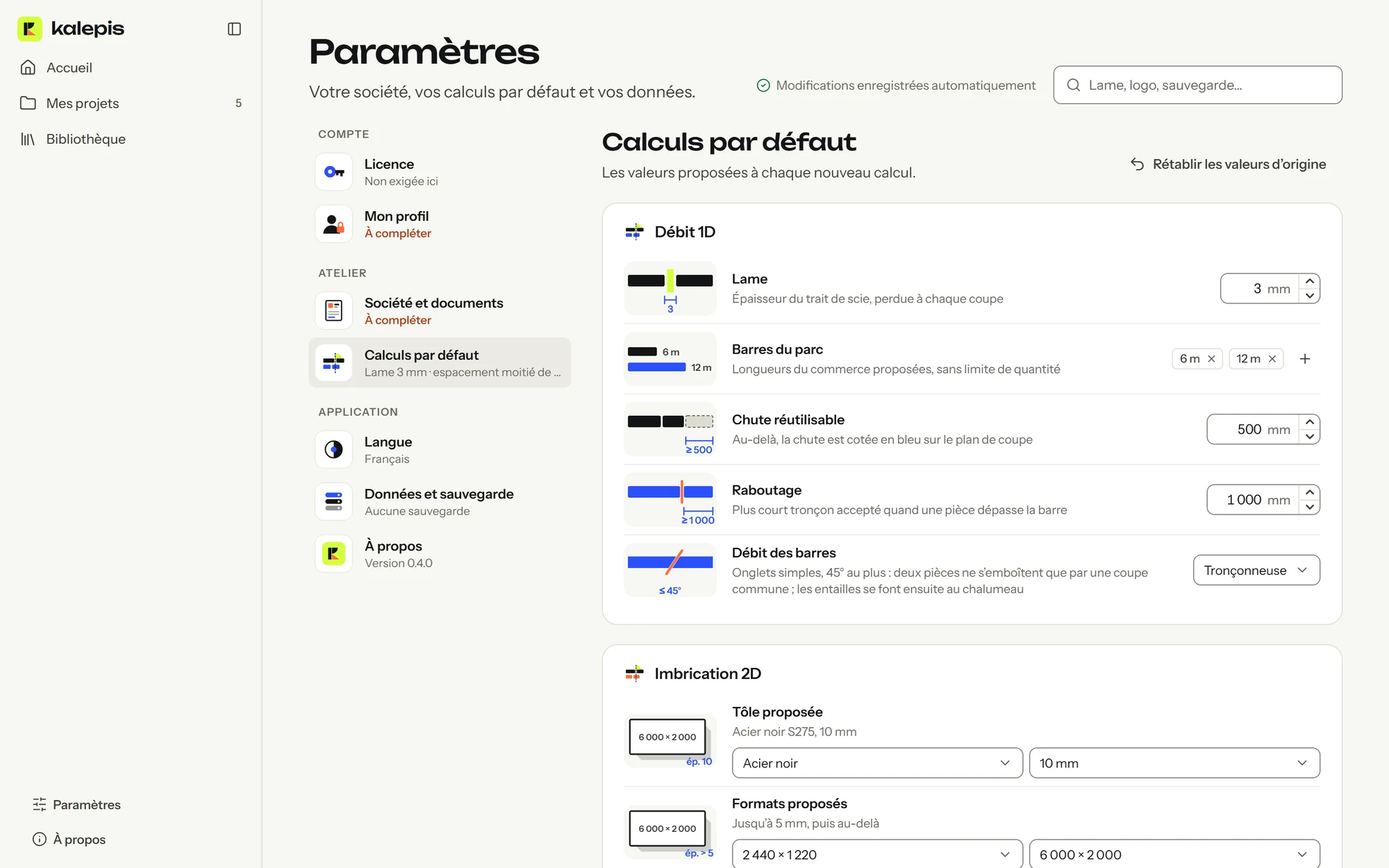
- Your company and its header on every document.
- Default calculation settings: blade, bar lengths, shortest section, sheet sizes, cutting process.
- Projects stored on your computer, with automatic backups and restore.
- Export and import your data from one computer to another.
Under the hood
Our own calculation engines.
The bar cutting and sheet nesting engines are written in Rust by the Kalepis team. We test them on benchmarks built from real jobs, and keep the ones that do better.
Internal benchmarks, run by the Kalepis team.
See them on your own job.
Request a walkthrough. We'll go through the features that matter for your workshop.