Sheet cutting
Make more informed decisions before the first cut.
Sheet cutting starts well before the machine runs. Layouts, stock sizes, quantities and handoff documents all affect how a job moves through the workshop.
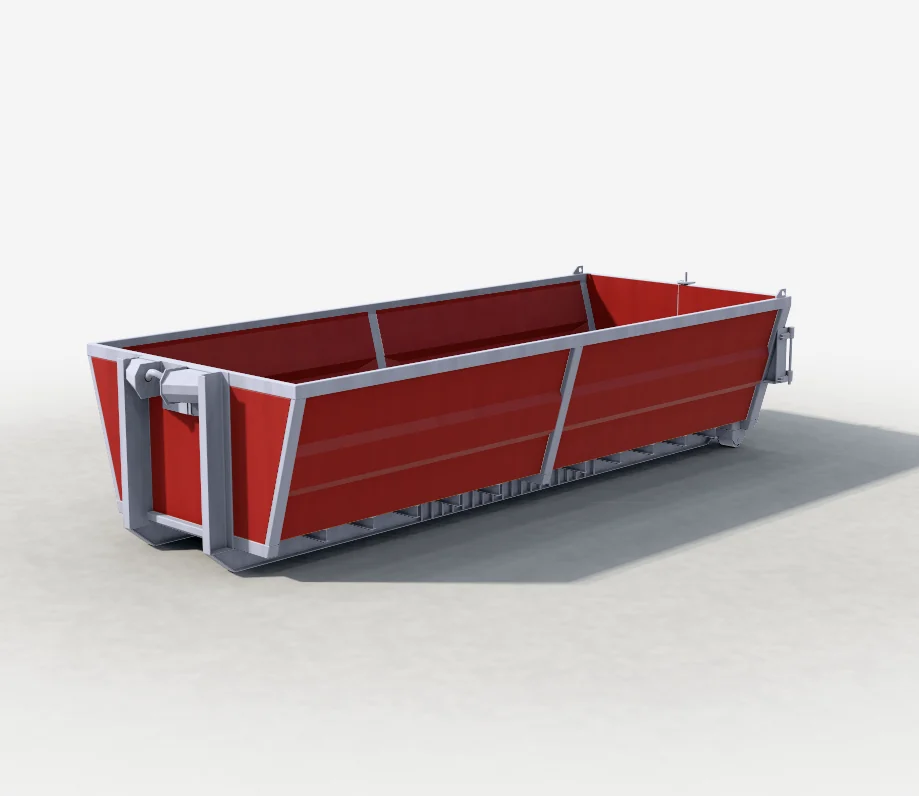
Drag to rotate
Loading the model…
Check how your parts are placed on your sheets.
Pick the sheet sizes you have, let Kalepis place the parts, small ones inside the rings, then check every sheet before it goes to the cutting table.
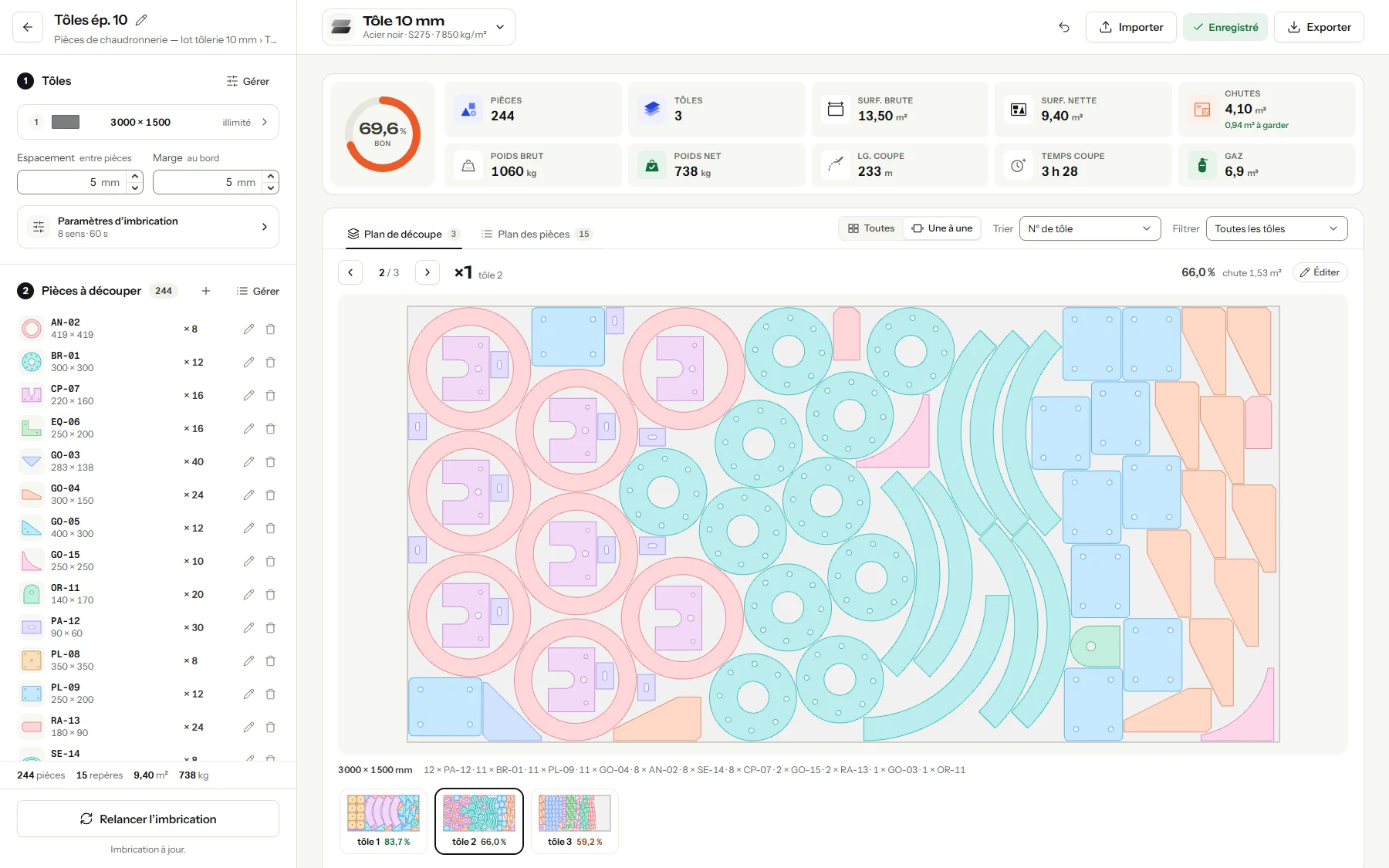
- DXF parts, with mark and quantity read from the file name.
- The sheet sizes you have in stock, with quantities and priority.
- Parts moved or rotated by hand, with overlaps flagged.
- Cut length for each sheet, with the cutting time and gas estimated from your settings.
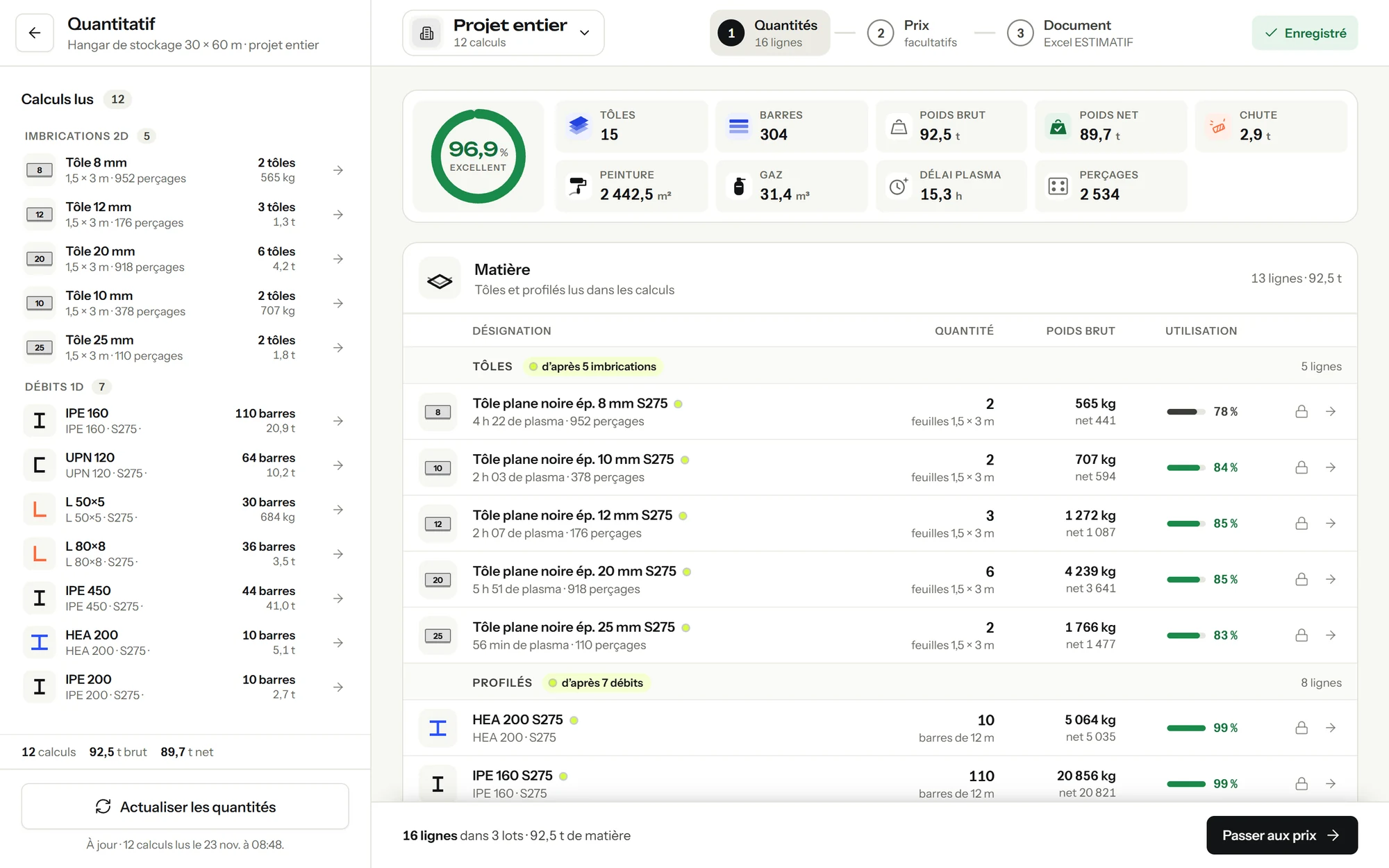
Keep quantities connected to the project.
Combine results in the BOQ, add unit prices and prepare supported outputs, including DXF and PDF.
The parts that go on your sheets.
Flat parts of every shape, drawn once and cut many times.
Nested on your sheets
- Base plates
- Gussets
- Stiffeners
- Flanges
- Brackets
- Covers
- Hopper faces
- Developed shells
What Kalepis will do for you next
In development. These are intentions, not features yet: each will be announced when it is ready, and will keep the engineer in control.
- In development
Parts from the 3D model
Flat patterns of every plate and folded part taken from the model, without redrawing them.
- In development
Your machine's real figures
Cutting times and consumption learned from your own cutting table, job after job.
- In development
Ready for the machine
Common cuts, lead-ins and cutting order prepared for your cutting table.
- In development
A price per part
A price for each part that counts the material, the cutting time and the handling.
Discuss your cutting process.
Bring a few DXF files you know well. We'll show you how Kalepis lays them out.